How to sing karaoke better: 10 tips anyone can use
You don't need singing lessons, just a few small habits: warm up first, pick the right key, hold the mic properly and practise at home. These are the karaoke tips that have helped me most.
Everyone who sings karaoke knows this moment: a song you love, one you know by heart, and the second you pick up the mic you run out of breath in the chorus, crack on the high note, or end up half a beat ahead of the music. The good news is that most of that isn't a "bad voice". It's a handful of small habits, and they can be fixed.
I'm not a voice teacher. These karaoke tips are what I've picked up over many nights of singing with friends and family, plus a few basics that anyone who takes singing lessons learns early on. Nothing fancy, just how to sing karaoke better when you're singing for fun, not for a competition.
1. Warm up for five minutes
You wouldn't sprint without stretching, and your voice is the same. A few minutes before the night starts is enough:
- 1Hum softly with your mouth closed, sliding from low to high and back, like a very quiet siren.
- 2Do lip trills (blow air so your lips flutter, "brrr") along a simple tune. It evens out your breath and relaxes your voice.
- 3Read a few lines out loud with big, clear vowels (a, e, i, o, u) to loosen up your mouth.
- 4Sip some water. Save the ice-cold drinks and the alcohol for after you sing.
In a group, the easiest warm-up is to start the night with an easy, mid-range song that the whole room sings along to. It warms up the voices and the atmosphere at the same time.
2. Breathe from your belly and plan your breaths
Running out of breath is the most common karaoke problem. Two small things help a lot:
- Breathe into your belly, not your shoulders. Put a hand on your stomach: if it moves out when you breathe in, you're doing it right. Chest and shoulder breaths are short and make your voice tense.
- Know where you'll breathe. Listen to the song first and notice where the original singer breathes, usually at the end of a line or between two phrases. Don't wait until you're empty.
- Don't spend all your air at the start of a line. On a long phrase, sing the beginning lightly and save air for the end.
A small trick: the lyrics on the player screen show you whether the next line is long or short. Read one line ahead so you can prepare your breath, rather than only watching the word that's lighting up.
3. Pick a key that suits your voice
This is the most important tip here, and it's where singing karaoke from YouTube really helps. The same song usually has several karaoke versions on YouTube: the original key, a lower key, a male key, a female key, a softer arrangement. A song that feels "too hard" is often just in the wrong key for you.
Simple rules of thumb:
- Straining in the chorus? Look for a lower-key version.
- The verse is so low you can barely make a sound? Try a higher-key version.
- A man singing a female artist's song (or the other way round)? Add "male key" or "female key" when you search.
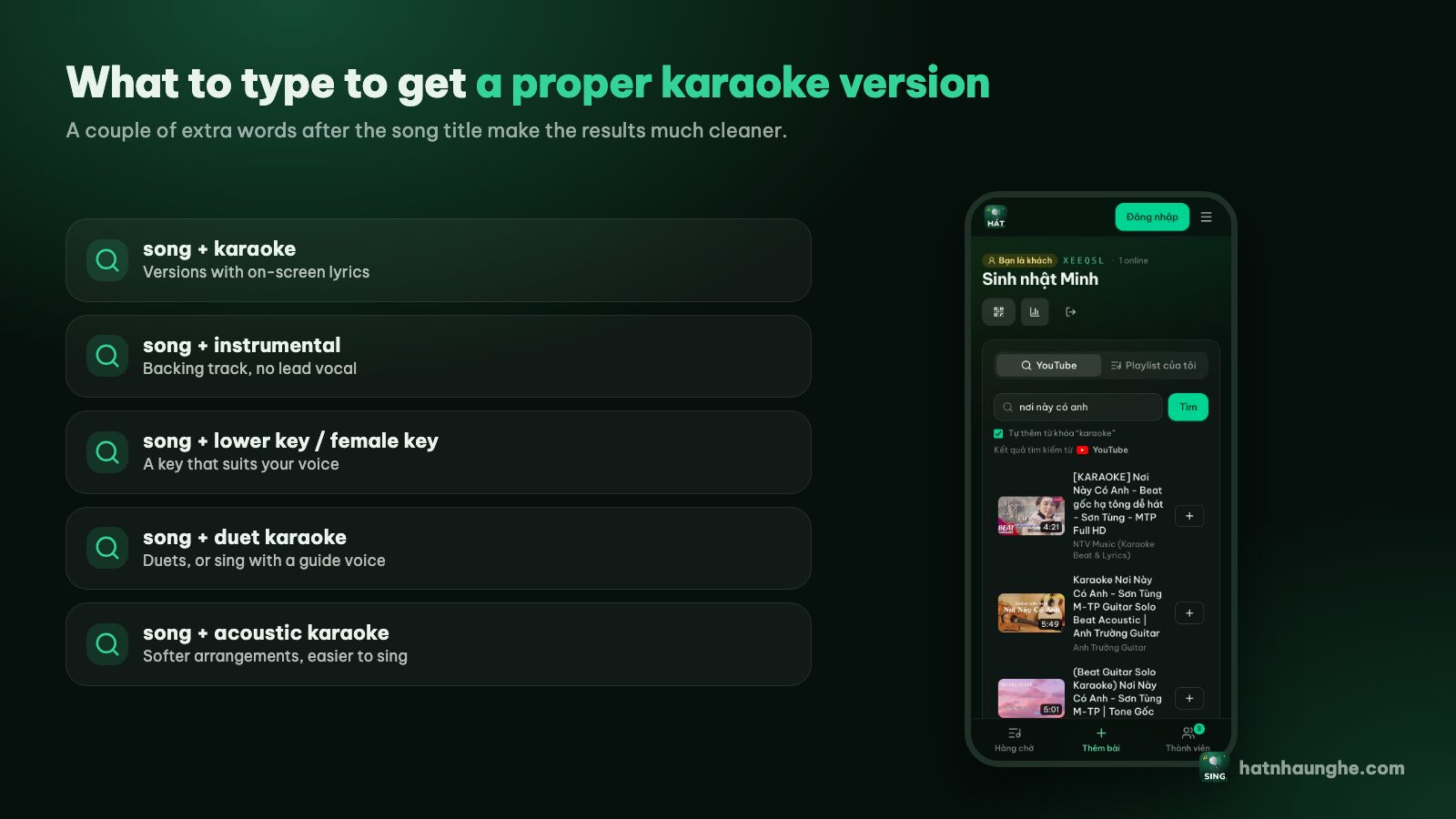
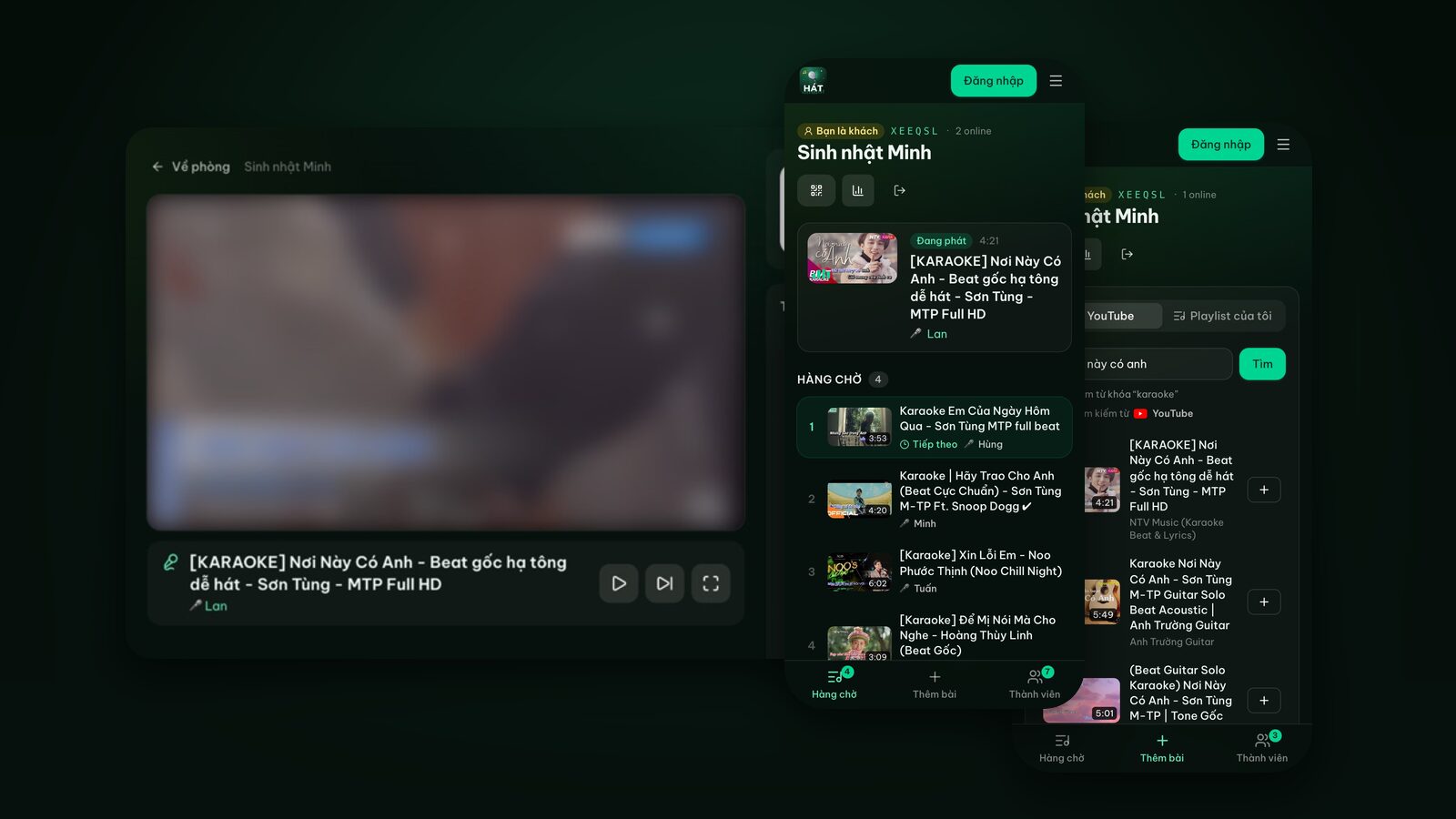
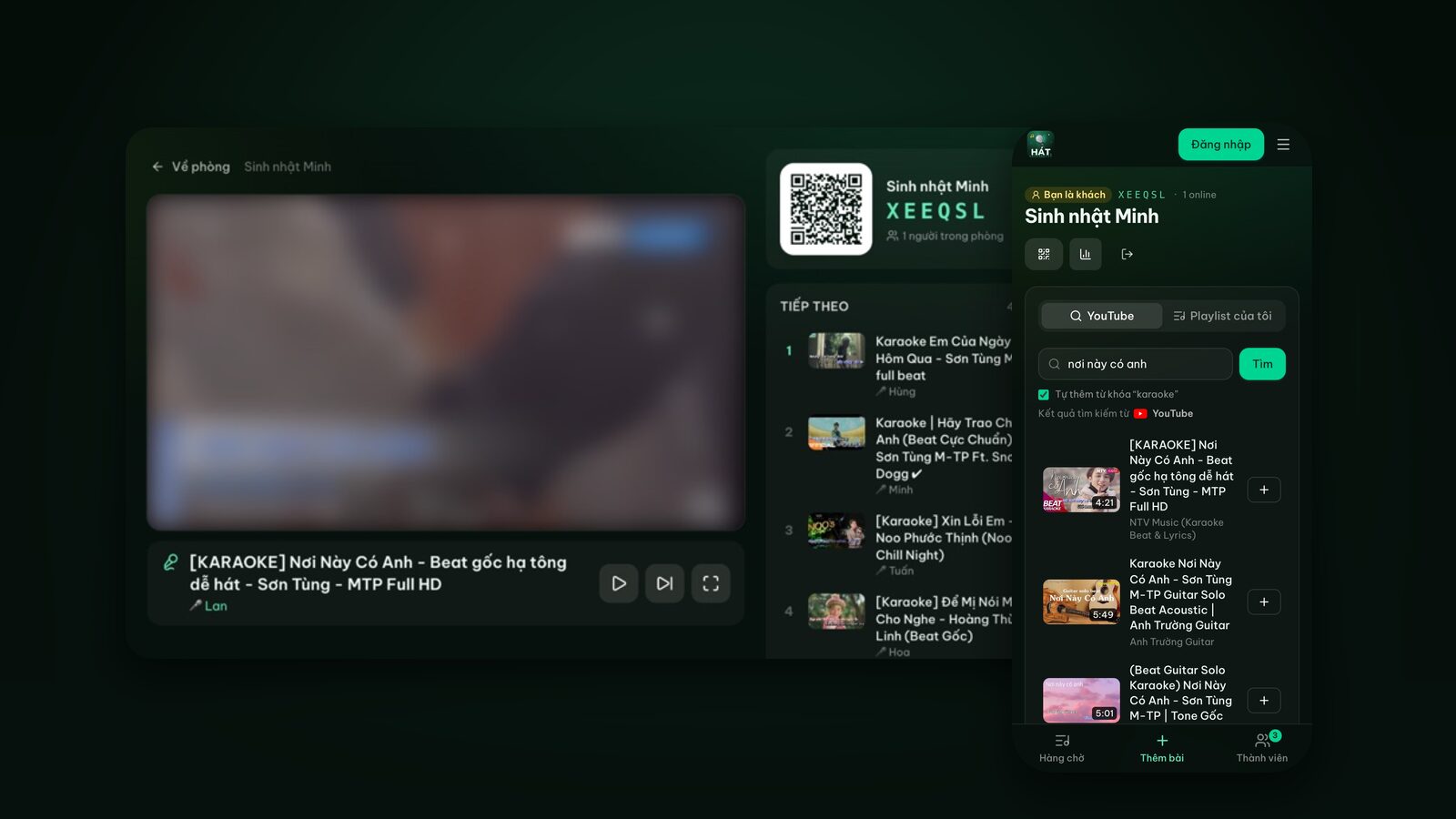
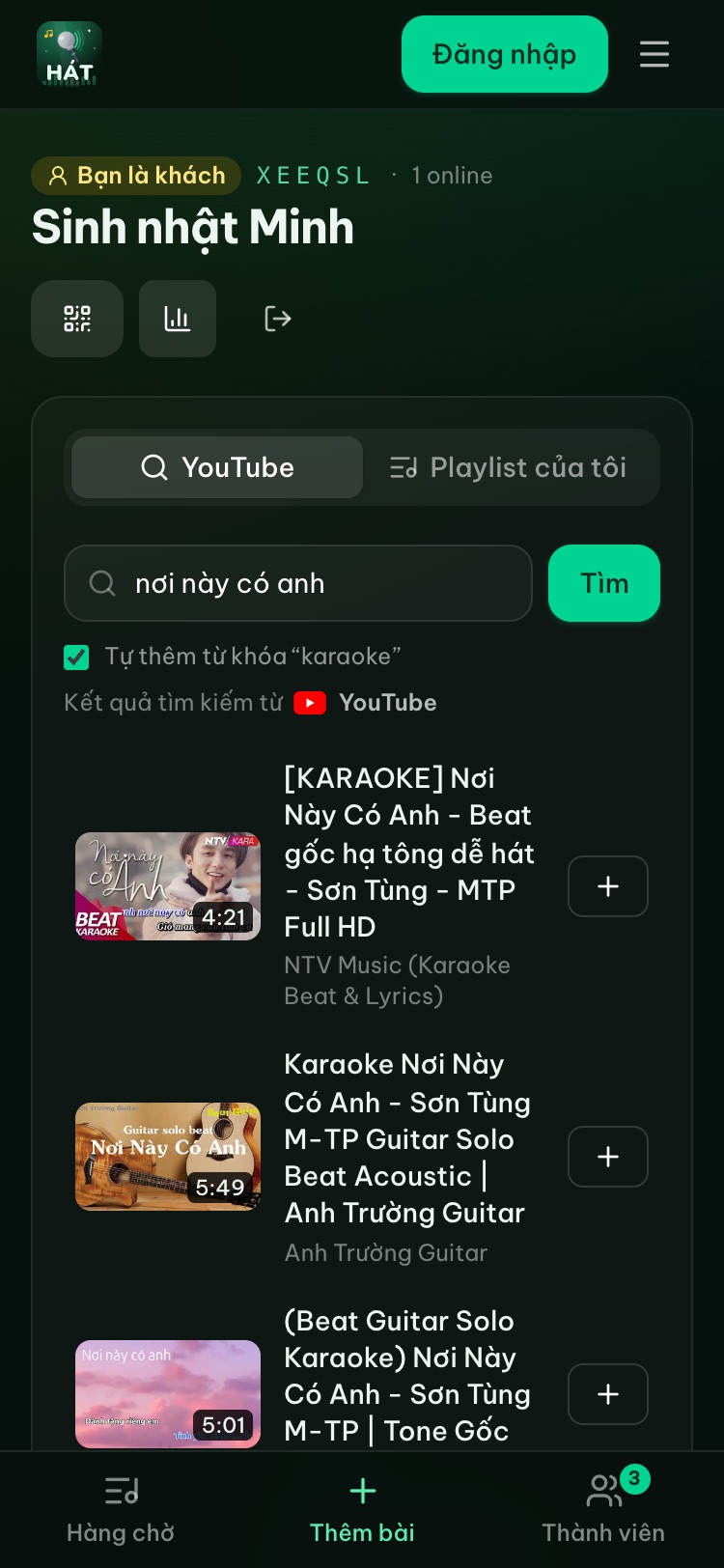
In a Hát nhau nghe room you search in the Add songs tab just like on YouTube. Results show the channel name and the length, so it's easy to compare a few versions before tapping +. There's a whole post on this: how to find karaoke songs on YouTube.
4. Hold the mic properly
Plenty of people sing fine but sound too quiet, muddy or squealy through the speaker, and it's mostly down to mic technique. The basics:
- Distance: keep the mic about one or two fists from your mouth. Too close and it gets boomy and picks up your breathing; too far and your voice disappears under the music.
- Angle: point the top of the mic at your mouth, tilted slightly down. Don't hold it upright or aim it at the ceiling.
- Don't cup the mic head. Wrapping your hand around the grille looks cool, but it makes the sound muffled and much more likely to feed back. Hold the handle.
- Pull the mic back a little on loud or high notes, and bring it closer on quiet parts. That's the hand-made volume control every singer uses.
- Never point the mic at a speaker. That's the number one cause of feedback.
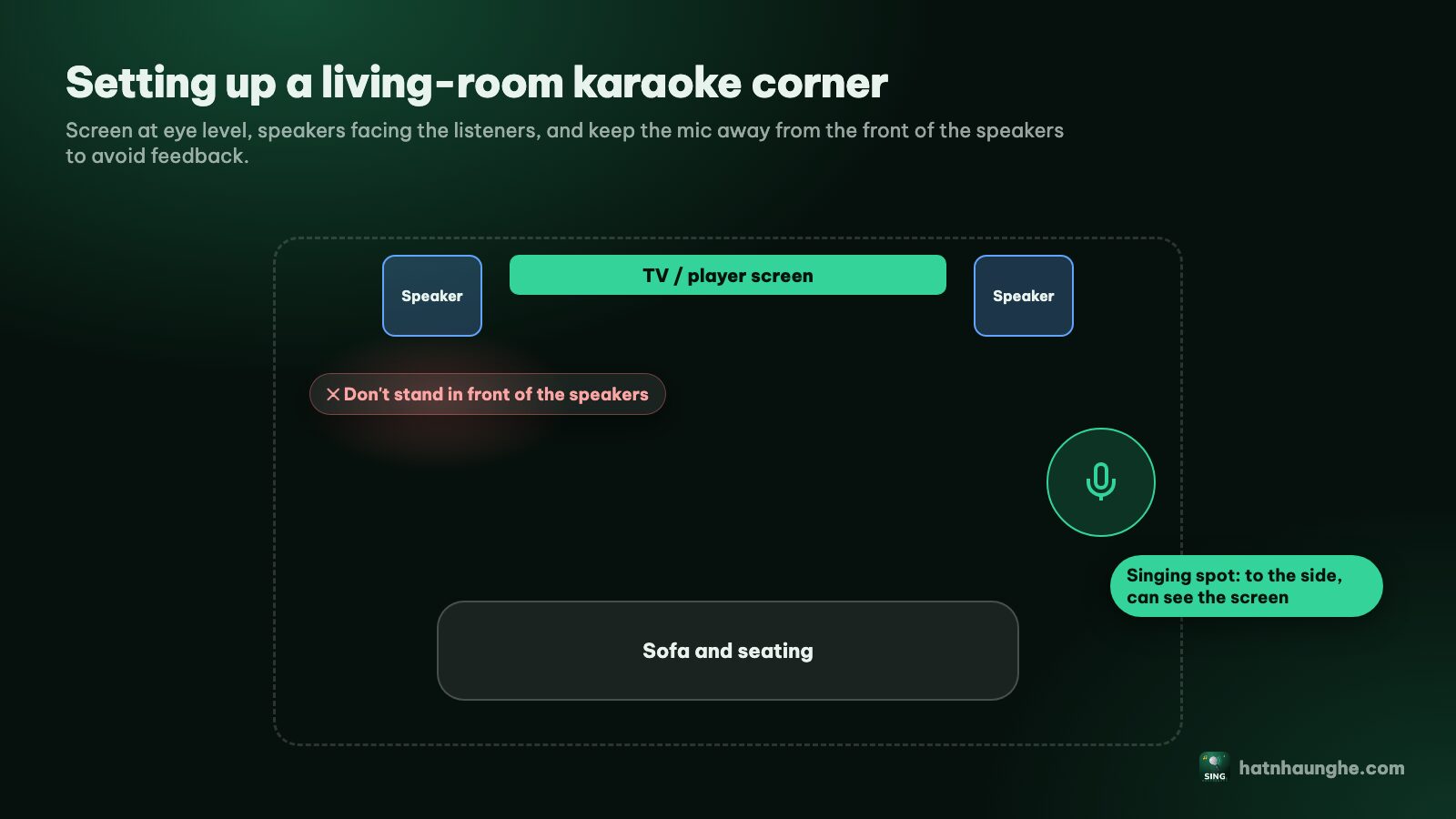
Picking mics and speakers and setting the echo are covered in choosing speakers and mics for home karaoke. Hát nhau nghe doesn't capture or process microphone audio, so whatever mics and speakers you already own will work.
5. Listen to the backing track, not just the lyrics
Rushing ahead of the music usually happens when your eyes are glued to the words and your ears aren't on the beat. Try this:
- Listen to the intro and count in your head. Lots of songs come in on the second or third beat, not right on the first.
- Follow the drums or the bass line, not the lyrics changing color. On-screen lyrics in karaoke videos sometimes run slightly early or late.
- Don't drown out the music. If the mic is much louder than the track, you can't hear the beat. Balance them so they sit at about the same level.
- The instrumental break is your rest. Breathe and get ready for the last chorus, which is usually the highest part.
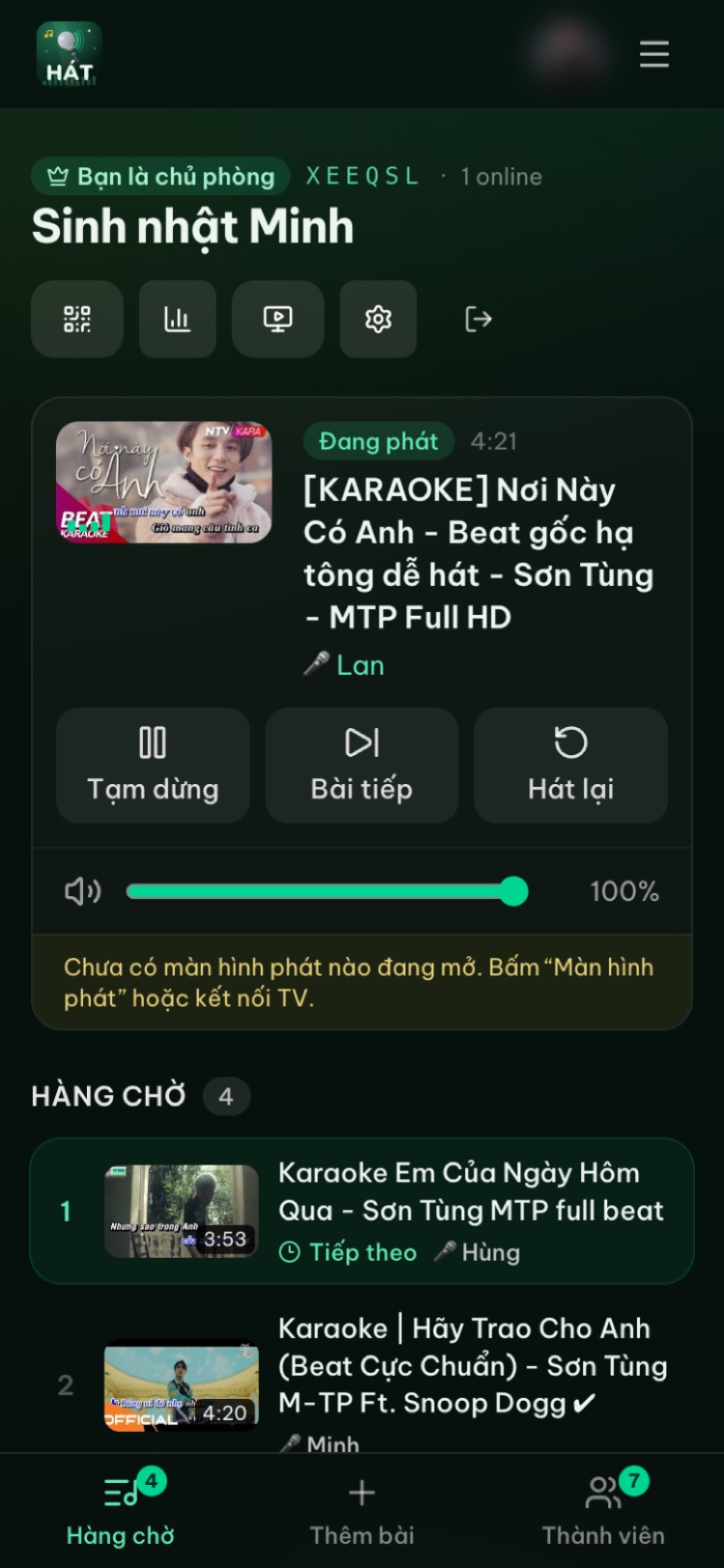
The host can drag the player screen's volume from their phone, no TV remote needed, so you can rebalance mid-song.
Try it in your browser
Open a free karaoke room, let friends scan the QR code and start singing in seconds. Nothing to install.
6. Hit the high notes without cracking
High notes scare everyone. Keep these in mind:
- 1Don't shout. Higher doesn't mean louder. Singing loud with a tight throat is the fastest way to crack.
- 2Breathe before the high line, not in the middle of it. Take a full breath at the pause just before.
- 3Open your mouth, keep your jaw loose, and don't clench your teeth or stretch your neck up.
- 4Sing the very top note a bit lighter instead of forcing it. It still sounds better than a broken note.
- 5Still too much? Switch to a lower-key version (back to tip 3). Nobody gives points for singing in the original key.
There's also the classic party move: turn it into a duet. The higher voice takes the high parts, the lower voice takes the low parts. For ideas, see easy karaoke songs and duets.
7. Calm your nerves
Nerves are normal, even in front of friends. What helps me:
- Make your first song a safe one. Something you know well, in a comfortable range, with no scary high parts. Confidence comes after that.
- Don't stare at the audience. Look at the screen, a spot on the wall, or the friend who's cheering you on.
- Take a few slow breaths during the intro.
- If you mess up, keep going. At a home karaoke night nobody remembers a missed line; they remember whether you had fun.
- Duet your first song if you're really shy. Two people on mics is far less scary than one.
At a crowded party the host can turn on Take turns in room settings so everyone sings in order. The shy ones still get a turn and don't get crowded out by the regulars. More in running a karaoke room so everyone gets to sing.
8. Learn a new song with the guide vocal first
When you don't know a song well yet, don't jump straight into the bare backing track:
- 1Find a version with the original vocal, or for duets a version with only one part sung (search for "duet karaoke male part" or "female part").
- 2Sing along with the vocal two or three times to learn the melody and the breathing spots.
- 3Move to the instrumental karaoke version once you feel confident.
One small thing: the room's search box has Add "karaoke" to my search ticked by default. To find a version with the singer's vocal, untick it before you search.
Those one-part duet versions are great for practising a duet alone: the video sings the other part, you take yours.
9. Practise karaoke at home with a playlist
The surest way to sound good at a party is to practise at home first. Here's my routine:
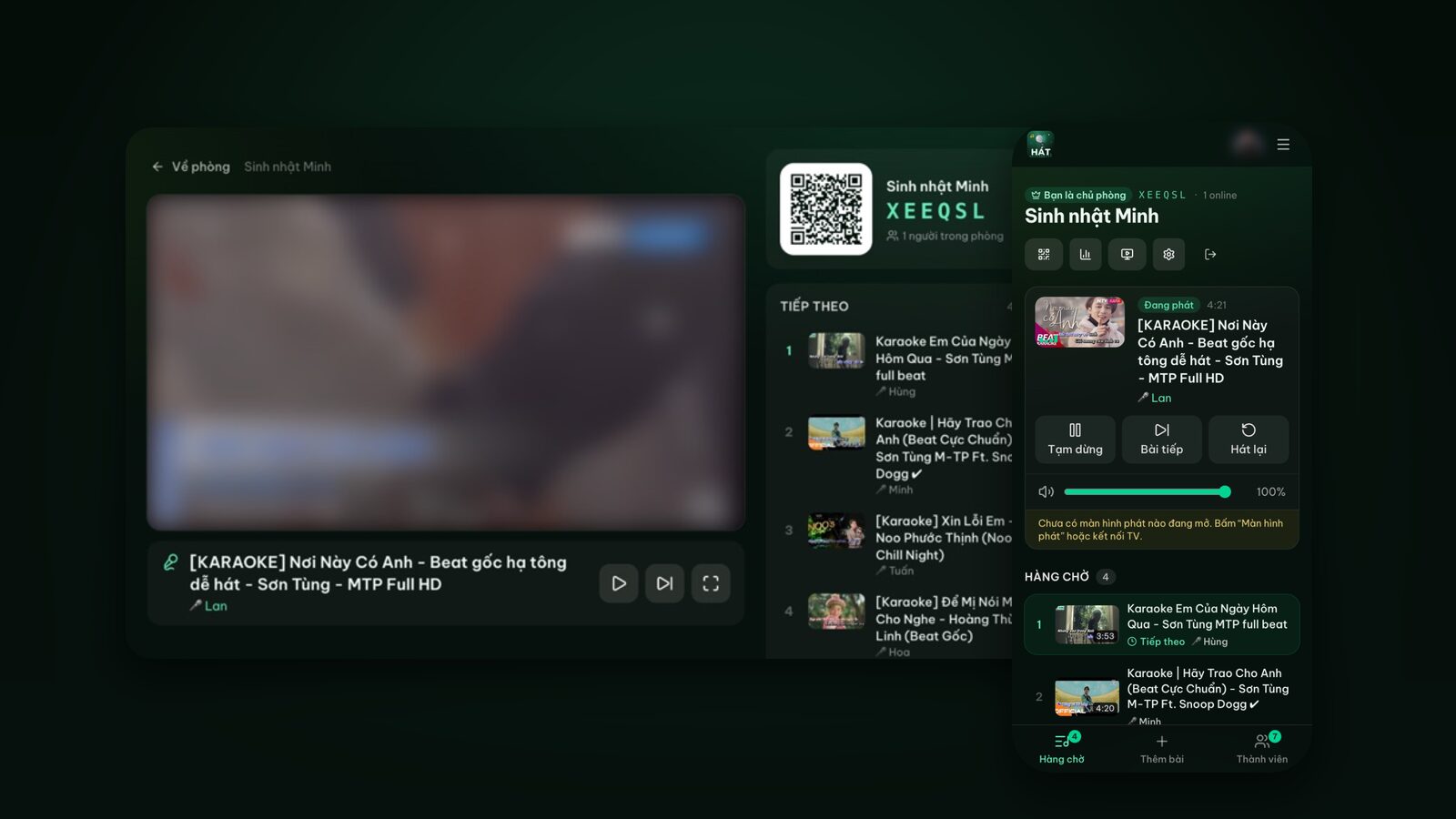
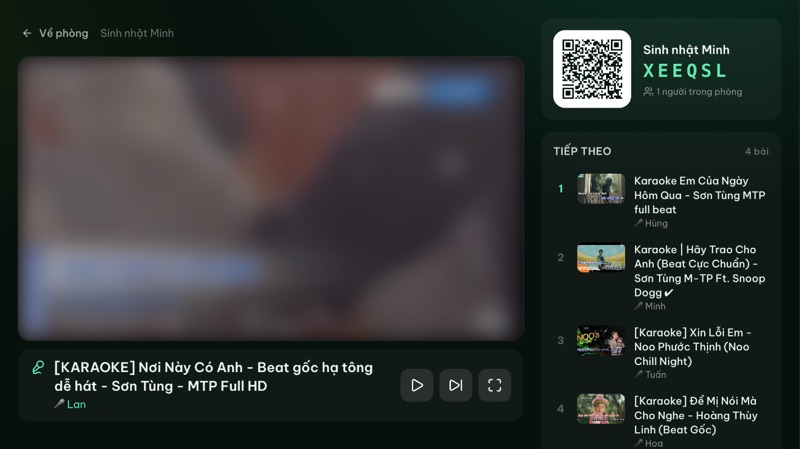
- 1Open a room just for yourself. Go to hatnhaunghe.com, tap I'm hosting, sign in with Google and create a room. Play it right on your laptop or tablet by choosing This device under the player screen.
- 2Make a practice playlist of five to seven songs you want to nail. Go to My playlists, create one and save the karaoke versions you picked in the right key.
- 3Add it to the queue in one go with Add whole playlist in the Add songs tab, then work through them.
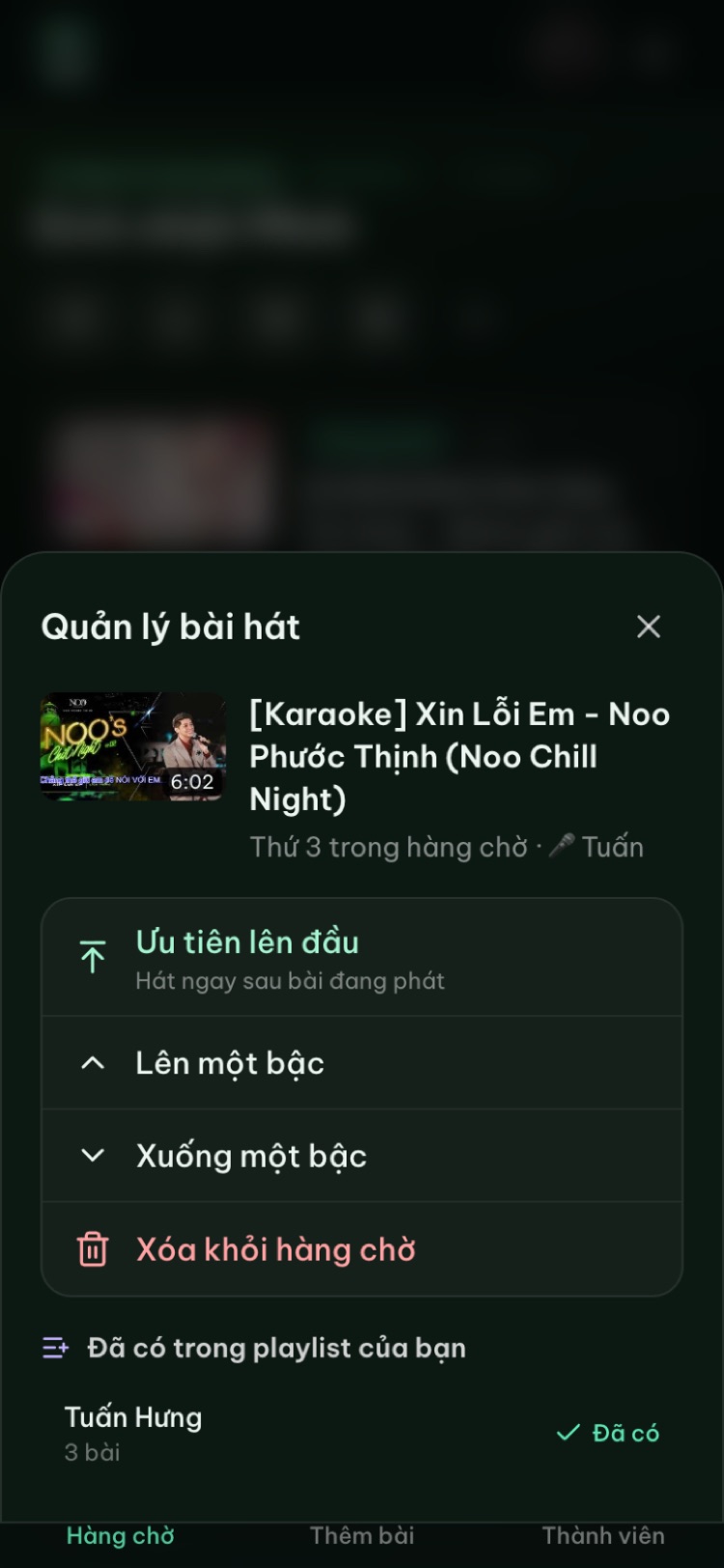
- 4Not happy with one? Tap Restart to sing it again from the top. The History section also keeps recent songs so you can queue them again quickly.
- 5Reorder songs by tapping one in the queue and choosing Move up or Move down, so the hard ones come after a couple of warm-ups.
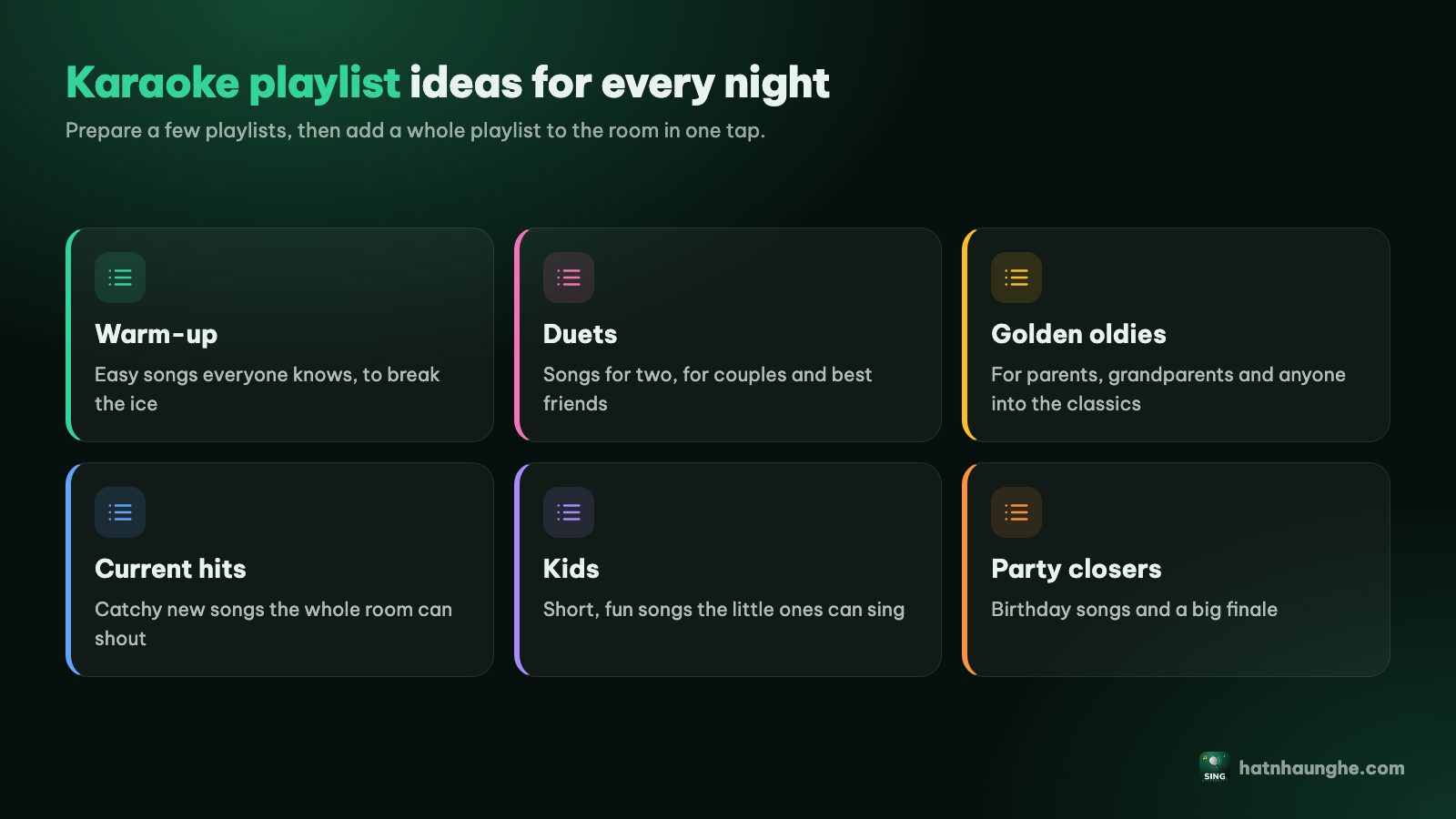
The free plan gives you 5 playlists with 20 songs each, plenty for a practice list. There's a full post on singing solo: singing karaoke alone to train your voice.
10. Match your songs to the night
Singing well is also about picking the right song at the right moment:
- Early on: easy, mid-range songs while your voice warms up.
- Mid-evening: your voice is at its best, so this is the time for your signature song or the one with the big notes.
- Late in the night: your voice is tired, so switch to sing-alongs where the whole room carries the song.
- Drink water between songs, and skip a few turns if you start to go hoarse.
If you're new and not sure what to pick, easy karaoke songs for beginners has suggestions for different voices.
FAQ
Can I sing karaoke well without a great voice?
Yes. Karaoke is most fun when you pick the right song in the right key and sing with confidence. Most of the people who "sound great" at parties don't have special voices; they've just picked songs that fit them.
How long should I sing before resting?
There's no single number for everyone. A safe rule is to rest when your voice starts getting hoarse, your throat feels scratchy, or you have to strain to make a sound. Drink water between songs and mix easy songs with hard ones.
Does Hát nhau nghe score my voice so I know if I'm improving?
No. The site doesn't capture mic audio. With Premium, the host can turn on scoring: the player shows a fun score after each song and people vote with stars on their phones, but the score isn't based on your voice. To really hear how you sound, record yourself and listen back. See karaoke scoring and voting.
How do I change a song's key in Hát nhau nghe?
The site plays karaoke videos that already exist on YouTube, so it can't shift the key itself. Instead, find a karaoke version in another key: add "lower key", "male key" or "female key" to the title, listen for a few seconds and pick the one that fits.
Do I need an app to practise?
No. Everything here works in the browser. If you'd like, the phone and Android TV apps are on the apps page. For every step with screenshots, see the full guide.
Have a great next karaoke night, and don't forget to warm up.
Try it in your browser
Open a free karaoke room, let friends scan the QR code and start singing in seconds. Nothing to install.