Sing karaoke alone: a private room for practice
No need to wait for a group. Here's how I open a private online karaoke room, build practice playlists, work through tricky parts and get my go-to songs ready for the next party.
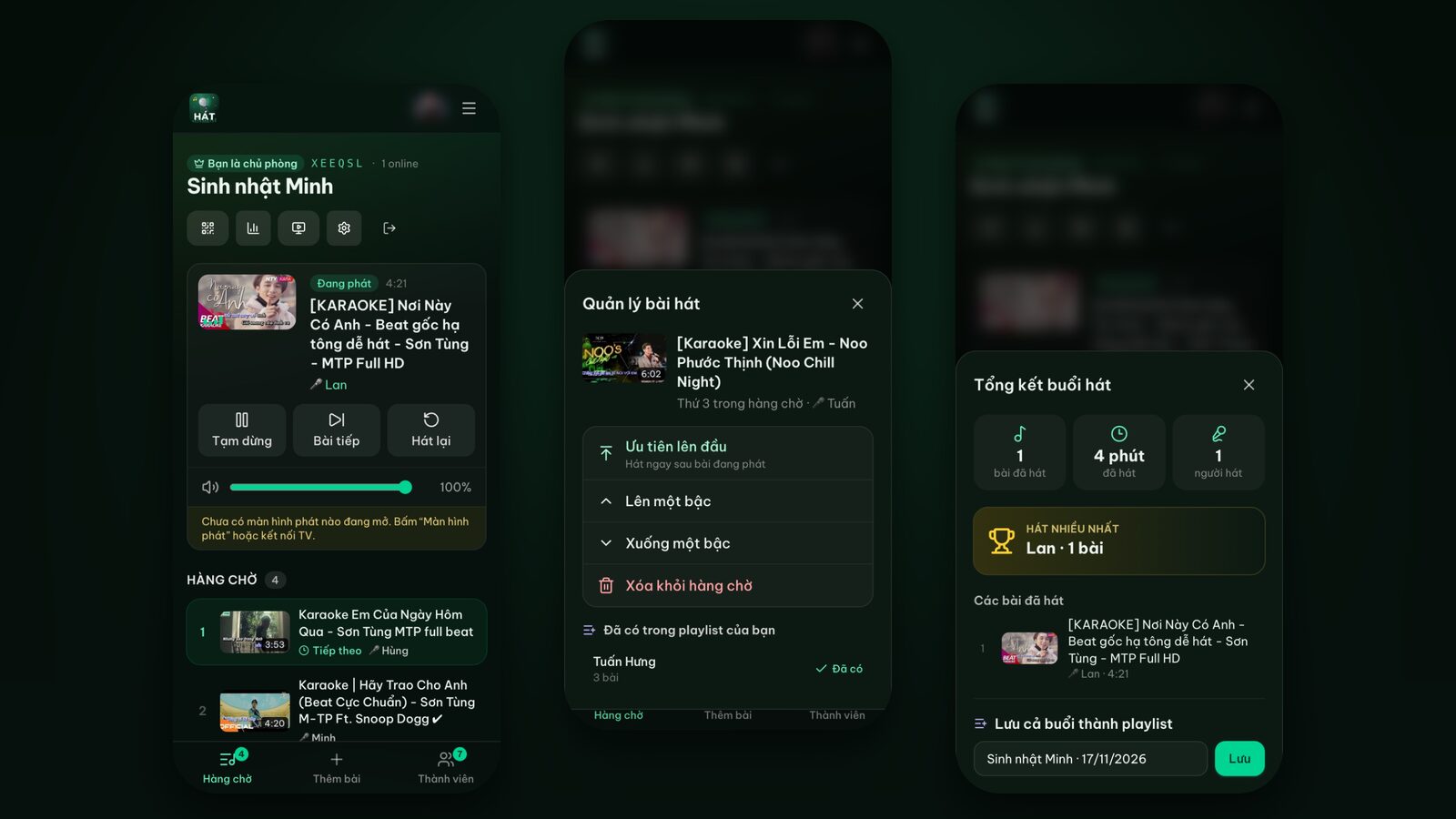
Some evenings I just want to sing on my own. No waiting, no worrying about wrong notes, no passing the mic. Other times there's a wedding or an office party coming up and I want to rehearse a song or two so I don't freeze when the mic comes my way.
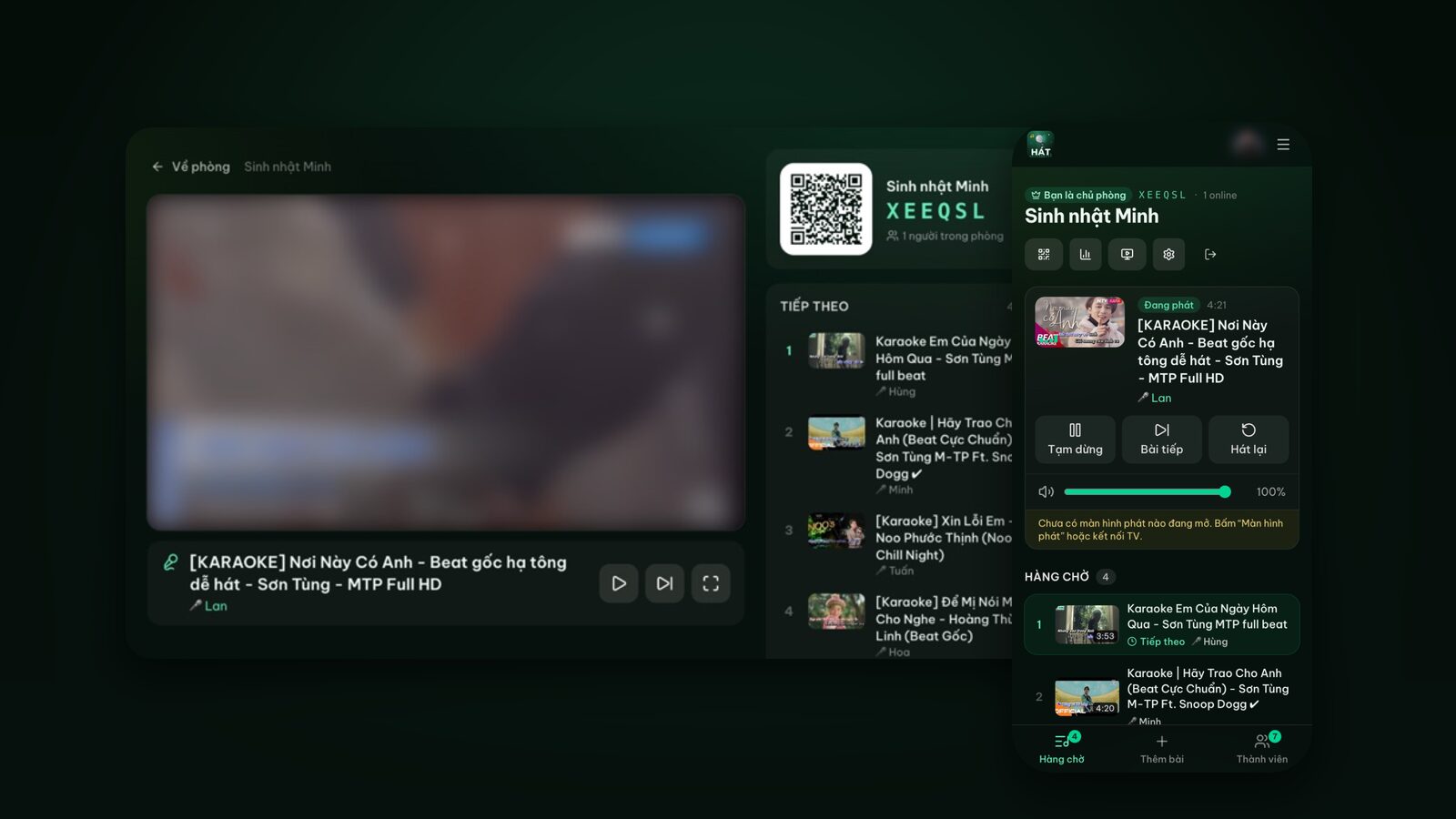
Solo karaoke used to be awkward. Booking a karaoke room for one felt odd, and at home I'd be on YouTube searching for every song, one at a time. Now I use Hát nhau nghe to open a private room, line up a whole list of songs and practice on my phone or laptop. Here's how I do it, from opening the room to drilling songs and showing off the results.
Can you sing karaoke alone?
Yes, and it's easy. The home page has a link that reads Singing solo? Playlists, private room. It takes you to the Solo section: "Sing on your own, your way".
The idea is simple:
- 1Sign in with Google for a personal account. Your playlists are saved and follow you to any device.
- 2Build playlists of the songs you love or want to learn.
- 3Open a private room with one tap on Open my private room.
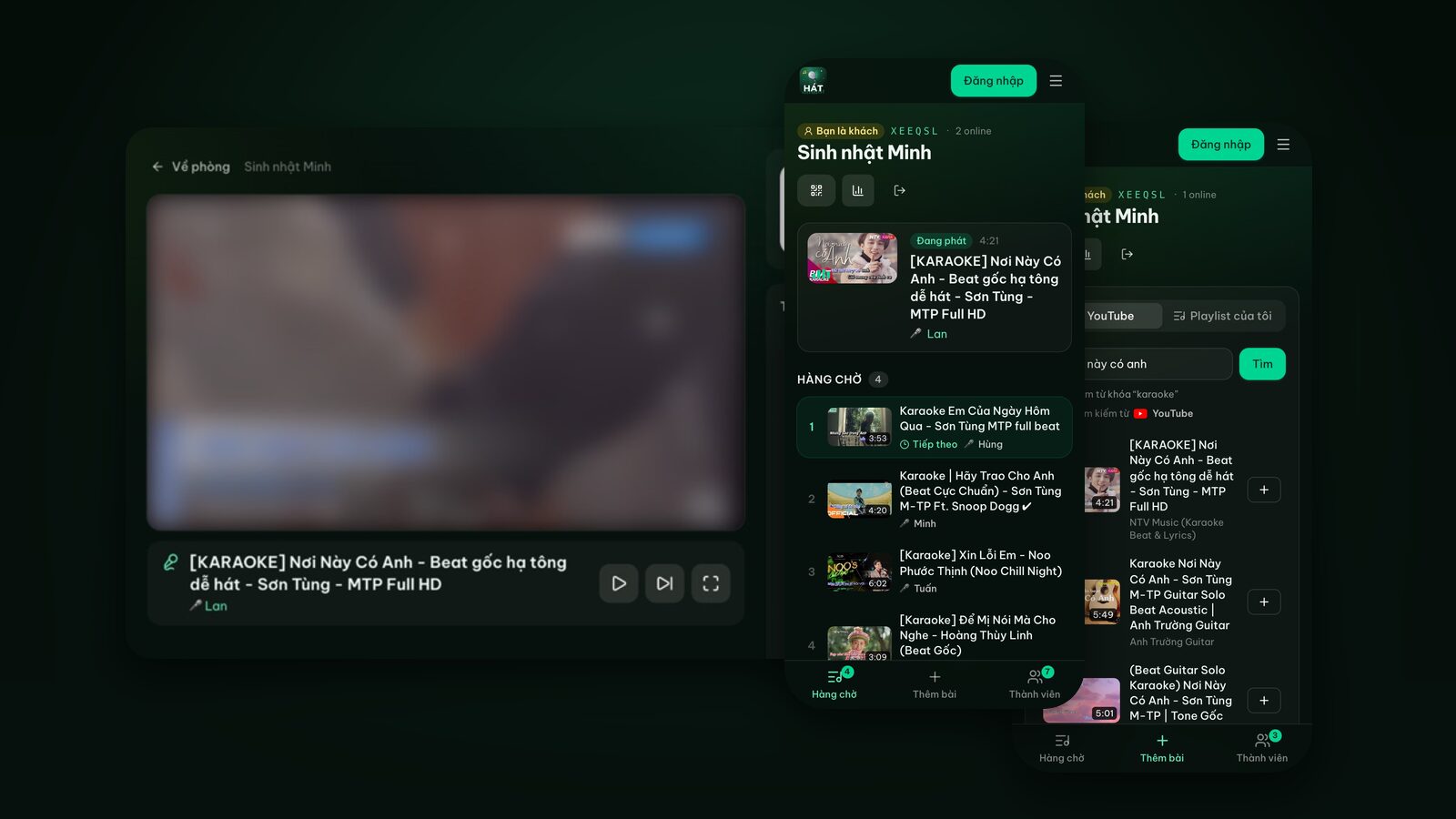
- 4Queue whatever you like. In your own room, songs go straight into the queue with no approval step.
Your private room is a normal room, so if a friend drops by, tap Invite to show the QR code and they can join in. Rooms are deleted after 24 hours of inactivity; your playlists stay for next time.
Step 1: Build practice playlists
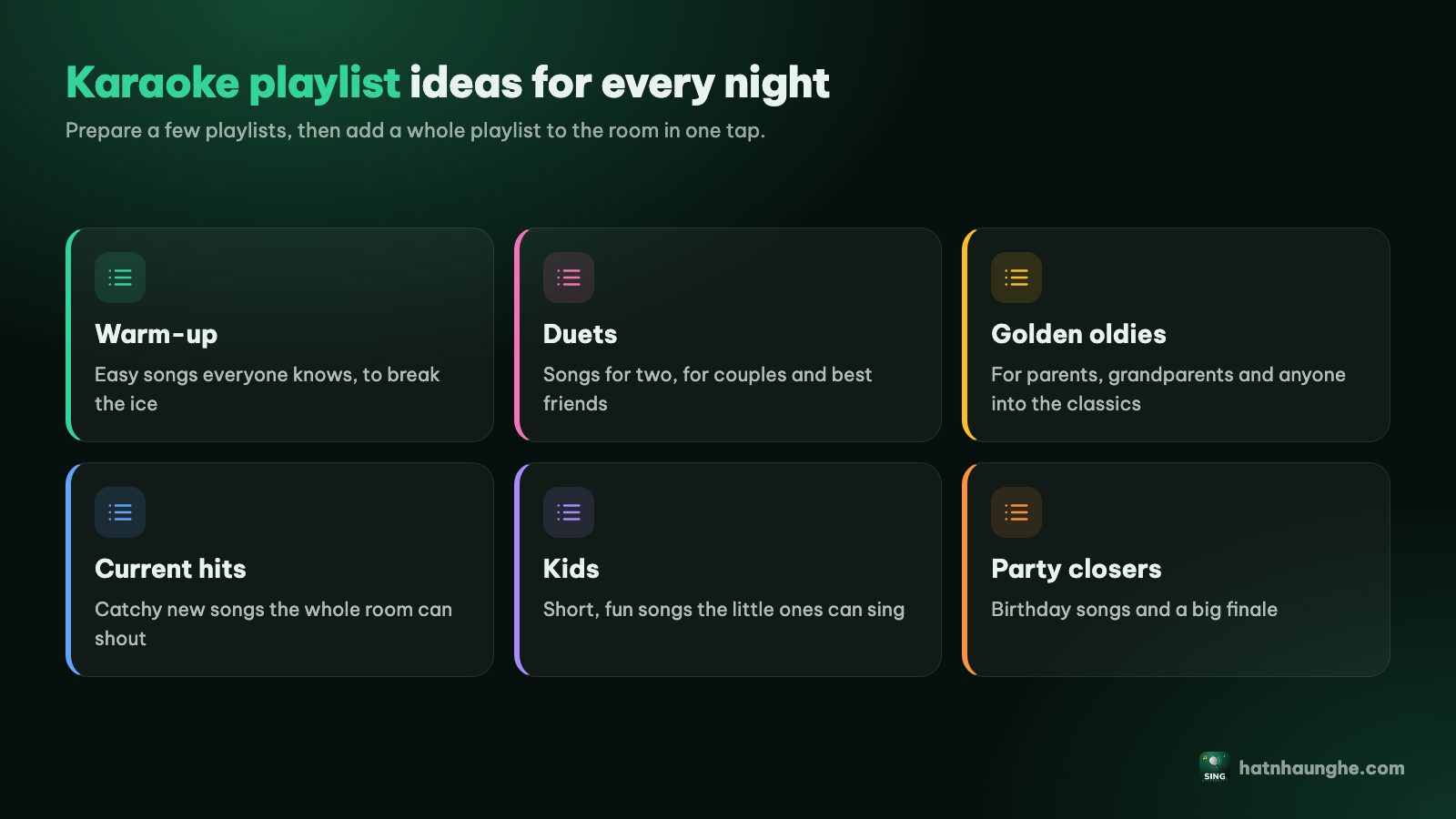
Playlists turn aimless singing into practice with a goal. I organize mine by purpose, not genre:
- "Warm-up": three or four easy songs that aren't too high.
- "Learning": songs I don't fully know yet or that have a few hard parts.
- "Go-to songs": songs I've drilled and can sing confidently anytime.
- "Coming up": for a specific event, like a duet for a wedding or a group song for a work party.
To create one:
- 1Sign in and open Playlists.
- 2Name a new playlist and tap Create.
- 3Search for karaoke versions and add them.
The free plan keeps 5 playlists of 20 songs each, enough for the four above with one to spare. Premium (bought in the mobile app) raises that to 50 playlists of 150 songs.
Pick a version that suits your voice
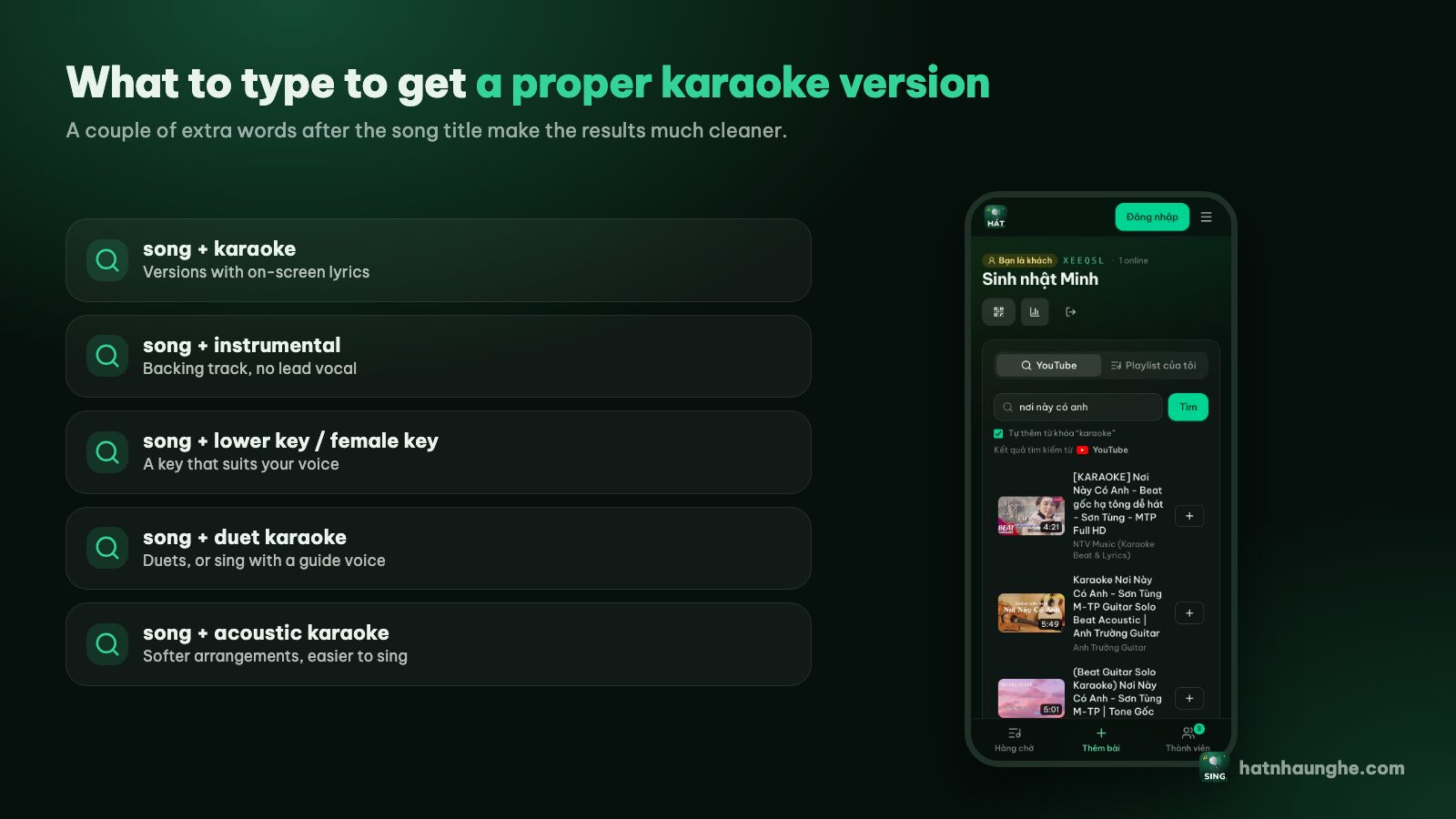
For practice, the right karaoke version matters as much as the right song. Words worth adding to a search:
- "karaoke" for on-screen lyrics.
- "lower key", "female key" or "male key" to match your range.
- "instrumental" once you know the words and want just the backing track.
- "duet" to practice a duet with a guide voice singing the other part.
- "acoustic" for a lighter arrangement where your voice is easier to hear.
More in how to find karaoke songs on YouTube.
Step 2: Choose where it plays
Singing alone, you don't need a big screen. In the room, tap the screen icon at the top to open Player screen and pick:
- This device: plays on the phone, tablet or laptop you're holding. Tap Open player screen and you're set.
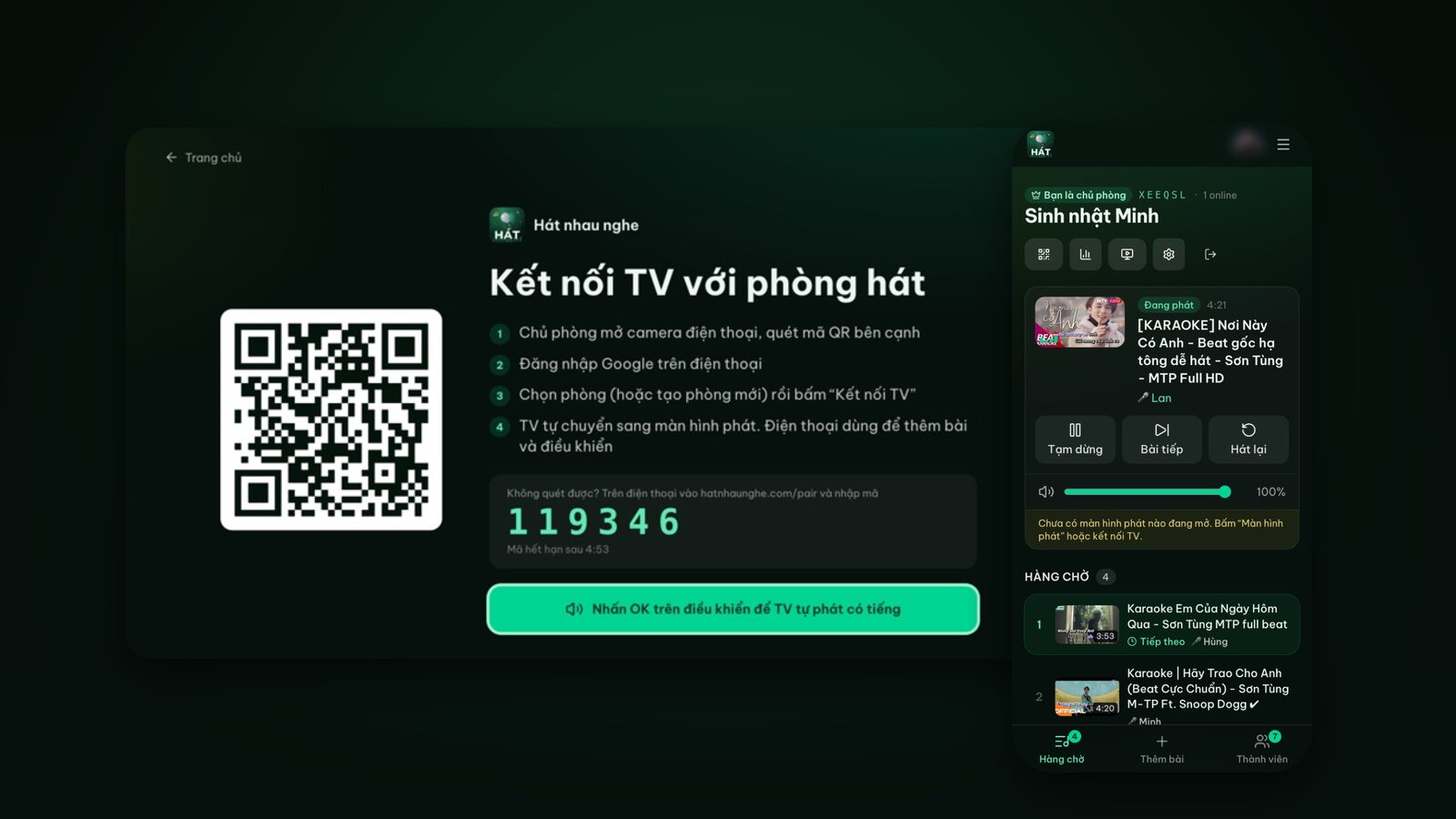
- Smart TV or Cast to TV: when you want big lyrics in the living room.
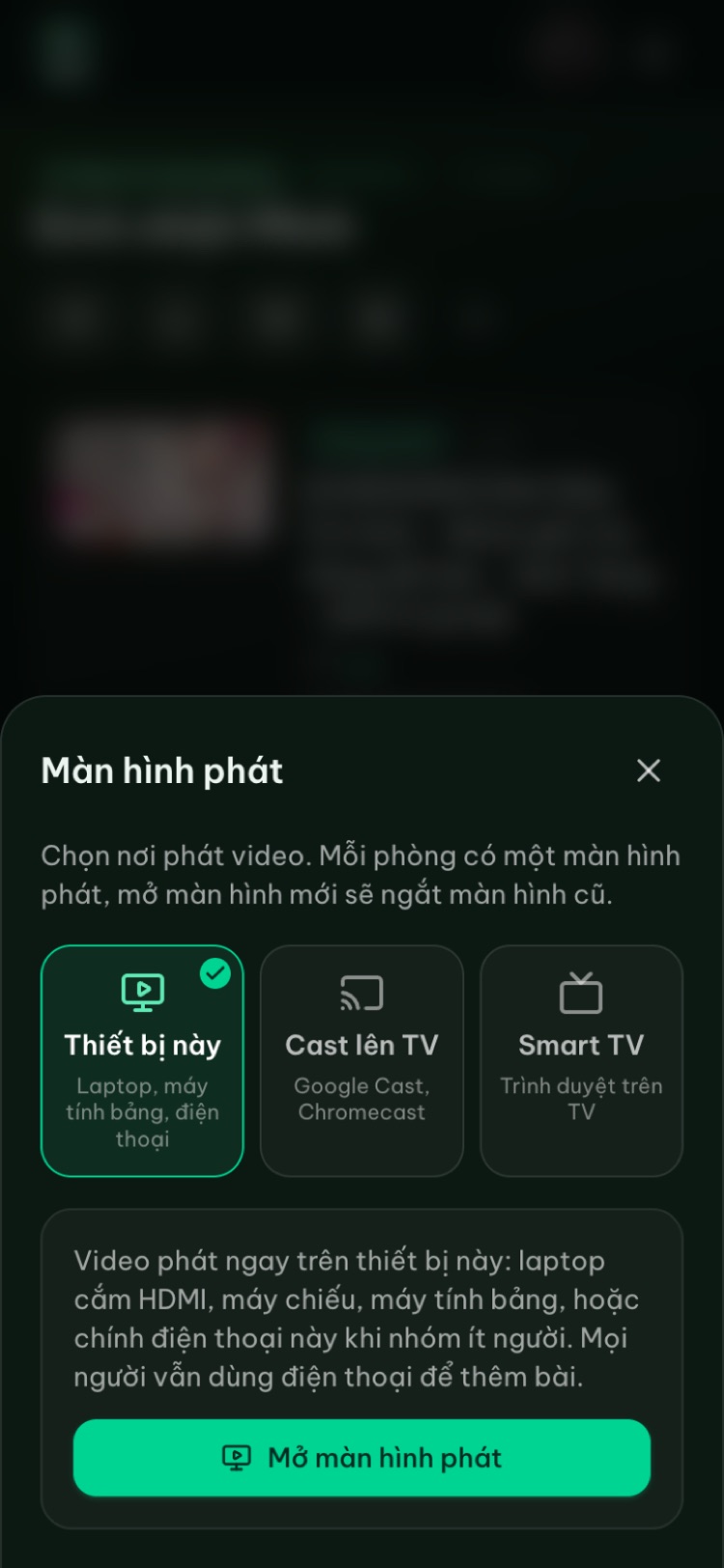
I like a laptop on the desk: the screen is big enough to read, and my phone works as a remote. For the TV, see karaoke on your TV with your phone.
Step 3: Headphones or speakers?
People ask this a lot. Both work; they're good at different things.
With speakers
- Pros: you hear your real voice blended with the music, like at a party, so it's easier to notice when you drift off key.
- Cons: noise for your household and neighbors. Keep it down in the evening.
- Tip: keep the music only a little louder than your voice. If the track is too loud you'll end up shouting to hear yourself, which wears you out fast.
With headphones
- Pros: you can sing late, hear every detail of the backing track, and disturb nobody.
- Cons: with both ears covered, it's hard to hear yourself, so you can sing off key without noticing.
- Tip: wear one earcup or earbud and leave the other ear open. If Bluetooth headphones make the sound lag the lyrics, try wired ones. Keep the volume comfortable, especially for long sessions.
A mic is fun but optional. For gear ideas, see choosing speakers and mics for home karaoke.
Try it in your browser
Open a free karaoke room, let friends scan the QR code and start singing in seconds. Nothing to install.
Step 4: Practice song by song, section by section
This is the difference between singing for fun and actually practicing. How I learn a new song:
- 1Listen once without singing. Read along and notice the high parts and where to breathe.
- 2Sing quietly the second time. Note (in your head or on paper) where you run out of breath, forget words or go off key.
- 3Drill the hard part. Right after a tricky section, tap Pause, sing that bit a few times on its own, then tap Resume.
- 4Sing it through. Tap Restart to play the song from the beginning and sing it start to finish without stopping.
- 5Rest, then move on. Singing one song ten times in a row tires your voice and your patience.
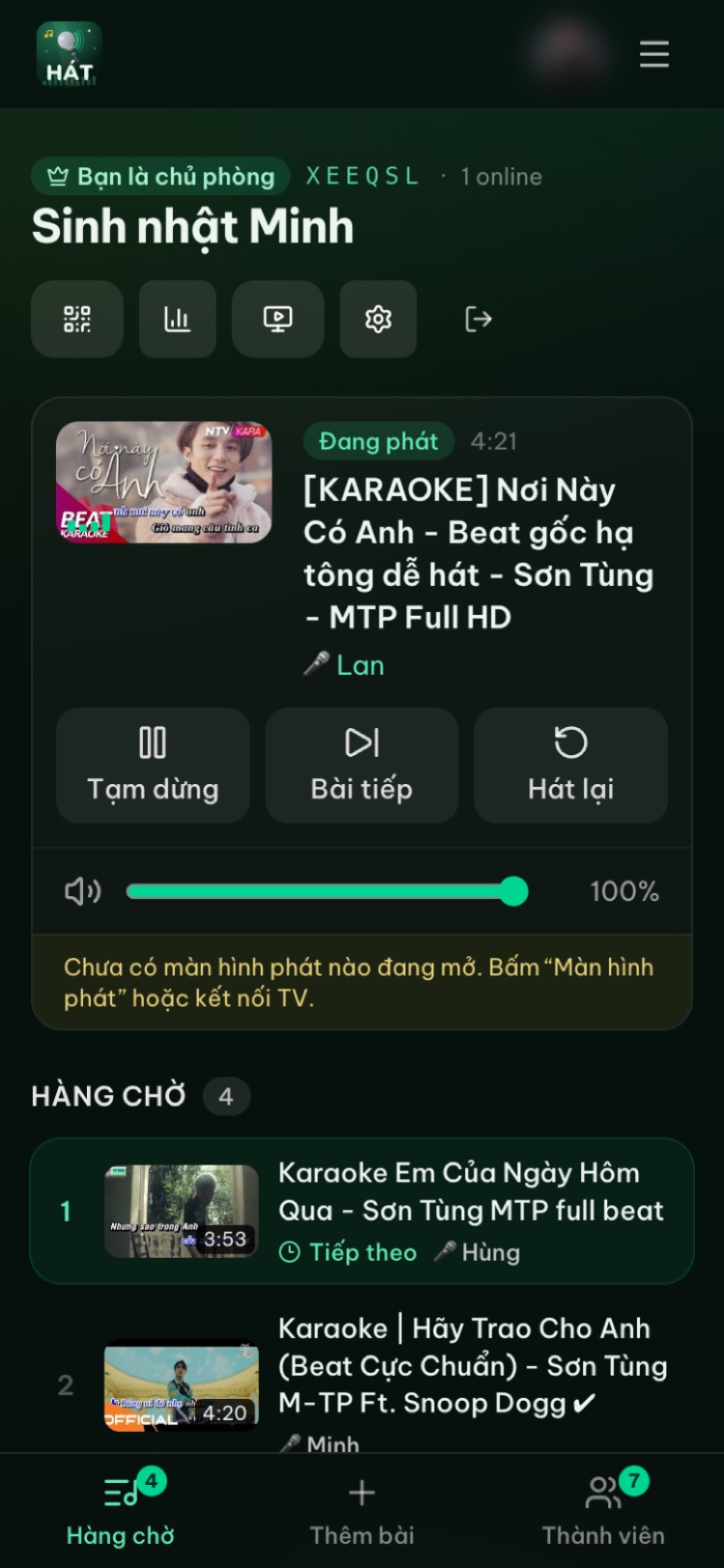
Songs you've finished stay in the queue's History. Tap Sing again on one to put it back in the queue without searching for it.
Reorder the queue while you practice
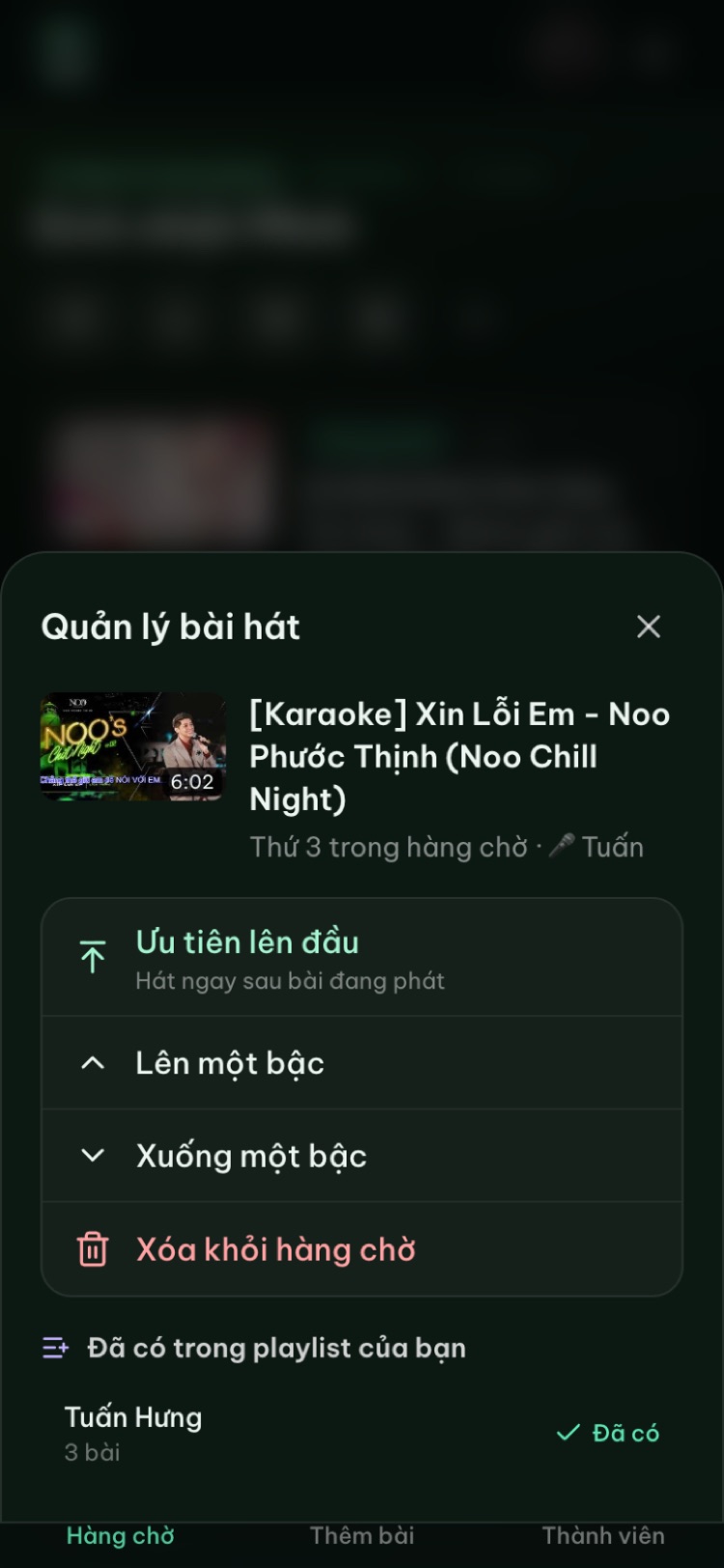
Tap a song in the queue to manage it: Move up, Move down, remove it, or save it to one of your playlists. Once your voice is warm, move the hard song up. Play next (straight after the current song) is a Premium feature; Move up works on the free plan.
General voice habits
I'm not a voice teacher; these are just habits that make singing less tiring for me:
- Warm up for a few minutes before high songs, with some gentle humming and a few easy songs from your warm-up playlist.
- Drink water and don't sing nonstop for too long.
- Stand tall and breathe low, and don't strain your neck reaching for high notes.
- Lower the key if you need to. A version that fits your voice beats straining for the original.
- Stop if your throat hurts.
For more, see tips to sing karaoke better.
Step 5: Record yourself and listen back
This is the fastest way to improve that I know, even if hearing your own recording is a shock at first. Hát nhau nghe doesn't record, so use another device:
- 1Open a voice recorder or camera app on a second phone or tablet.
- 2Put it a meter or two away, pointed at you, not right next to the speaker.
- 3Sing the whole song as if people were listening.
- 4Listen back right away and note where you went off key, ran out of breath or got words wrong.
- 5Practice exactly those spots, then record again and compare.
Keep recordings by date. A few weeks later, listen to the first one and you'll hear the difference. If you plan to post a recording online, remember the karaoke backing track may be someone else's copyrighted work.
Step 6: Track your progress
A little record-keeping helps over the long run:
- Move songs between playlists. Once you've sung a song cleanly three or four times, move it from "Learning" to "Go-to songs". Watching that list grow is real motivation.
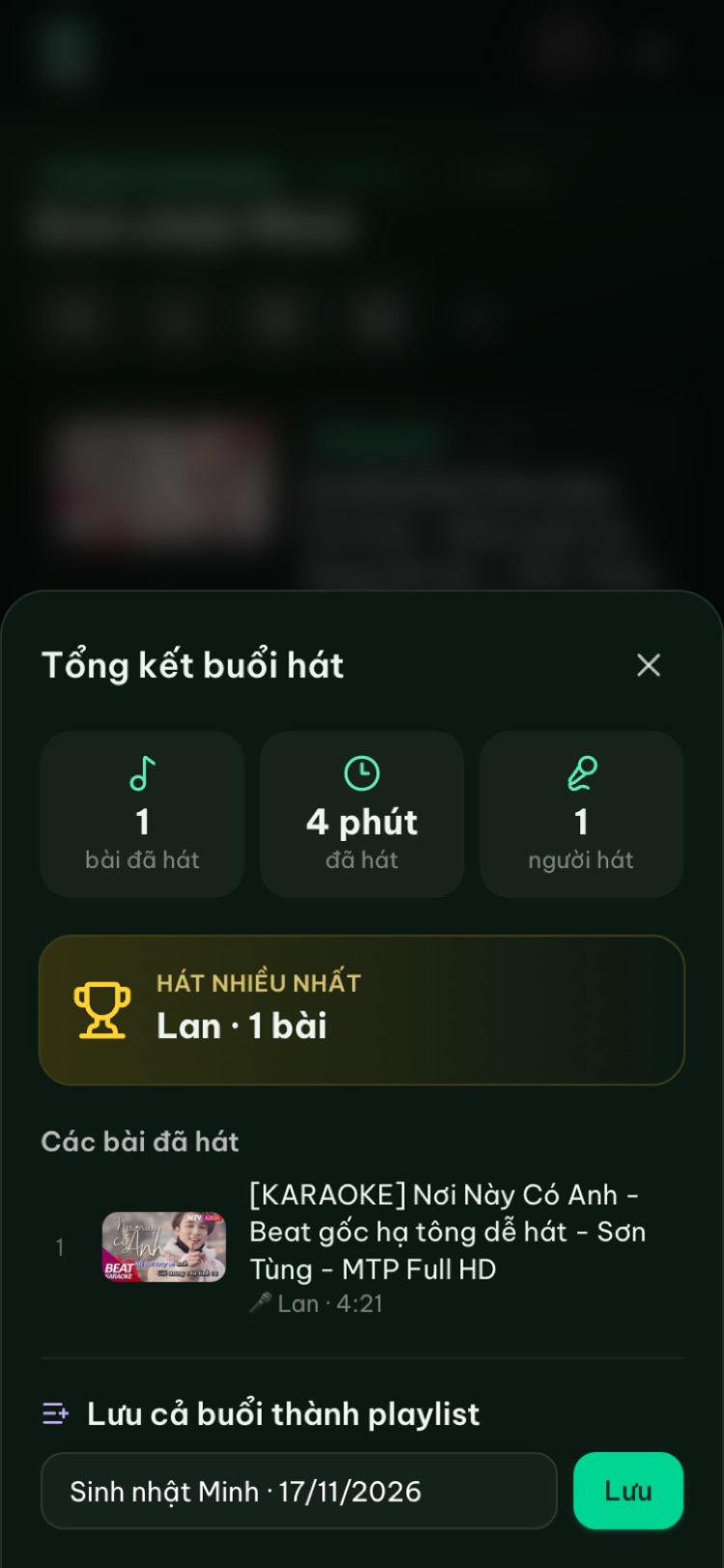
- Check the Night recap. At the end, open Night recap to see how many songs you sang, for how long, and the list of songs. You can save the whole session as a playlist.
- Jot a short note after each session: what improved, what still trips you up, what to work on next.
If the host has Premium and scoring is on, the player shows a fun score after each song. It's automatic and not based on your voice, so don't use it to measure progress; your own recordings are the real yardstick. More in karaoke scoring and voting.
Step 7: Bring your best songs to the next party
This is the payoff. Because playlists belong to your account, at a friend's karaoke night:
- 1Join the host's room like any guest, but sign in.
- 2In the Add songs tab, switch to My playlists.
- 3Pick songs from "Go-to songs" and tap Add. No searching.
If you're hosting, add your warm-up playlist at the start to get people going, then slip your go-to songs in. And leave room for everyone else. For songs the whole group can sing, see easy karaoke songs and duets, and if you're new to this, easy karaoke songs for beginners.
FAQ
Is solo online karaoke free?
Yes. You just sign in with Google to open a private room and save playlists. Premium is optional and bought in the mobile app.
Do I need a TV?
No. Choose This device to play on your phone, tablet or laptop. When you want a big screen, connect a TV at hatnhaunghe.com/tv.
Does the site score my voice for practice?
No. The site doesn't capture mic audio. The best way to hear how you sound is to record yourself on another device and listen back.
Can I sing offline?
No. Songs play from YouTube through its official player, so you need an internet connection. Any ads are YouTube's.
Will my private room disappear?
Rooms are deleted after 24 hours of inactivity. Your playlists stay, so next time just open a new private room and carry on.
There are apps for phones and Android TV on the apps page if you prefer, but every step here works in the browser. Here's to a long "Go-to songs" list.
Try it in your browser
Open a free karaoke room, let friends scan the QR code and start singing in seconds. Nothing to install.