Build karaoke playlists: easy songs, duets and party sets
A ready playlist is the fastest way to get a karaoke night going. How to save songs, add a whole playlist to a room, share and follow playlists, plus themed ideas.
Every karaoke night starts with the same awkward pause: everyone is staring at their phone, everyone is searching, and nobody wants to go first. The quickest way past it is a playlist you prepared earlier. Open the room, add the whole playlist to the queue, the music starts and people join in.
This guide covers karaoke playlists on Hát nhau nghe: saving single songs, saving a whole night, and sharing and following other people's playlists. At the end there's a set of themed playlist ideas, from easy warm-up songs to duets, decade classics, kids' songs and birthdays.
How playlists work
A playlist is a list of YouTube karaoke songs saved to your account. A few things to know first:
- You sign in with Google. Playlists belong to your account, so they show up on any device you sign in on. Guests don't need an account to sing, but they do to keep playlists.
- It all runs in the browser. Everything here works at hatnhaunghe.com on a phone or computer, with nothing to install.
- Links, not files. Songs still play through YouTube's official embedded player. If an uploader deletes a video or turns off embedding, that song won't play anymore.
- Playlists outlive rooms. A room is deleted after 24 hours without activity. Your playlists aren't.
You manage them on My playlists, which has two tabs: "Mine" and "Following".
Three ways to add songs to a playlist
1. Search and add on the playlist page
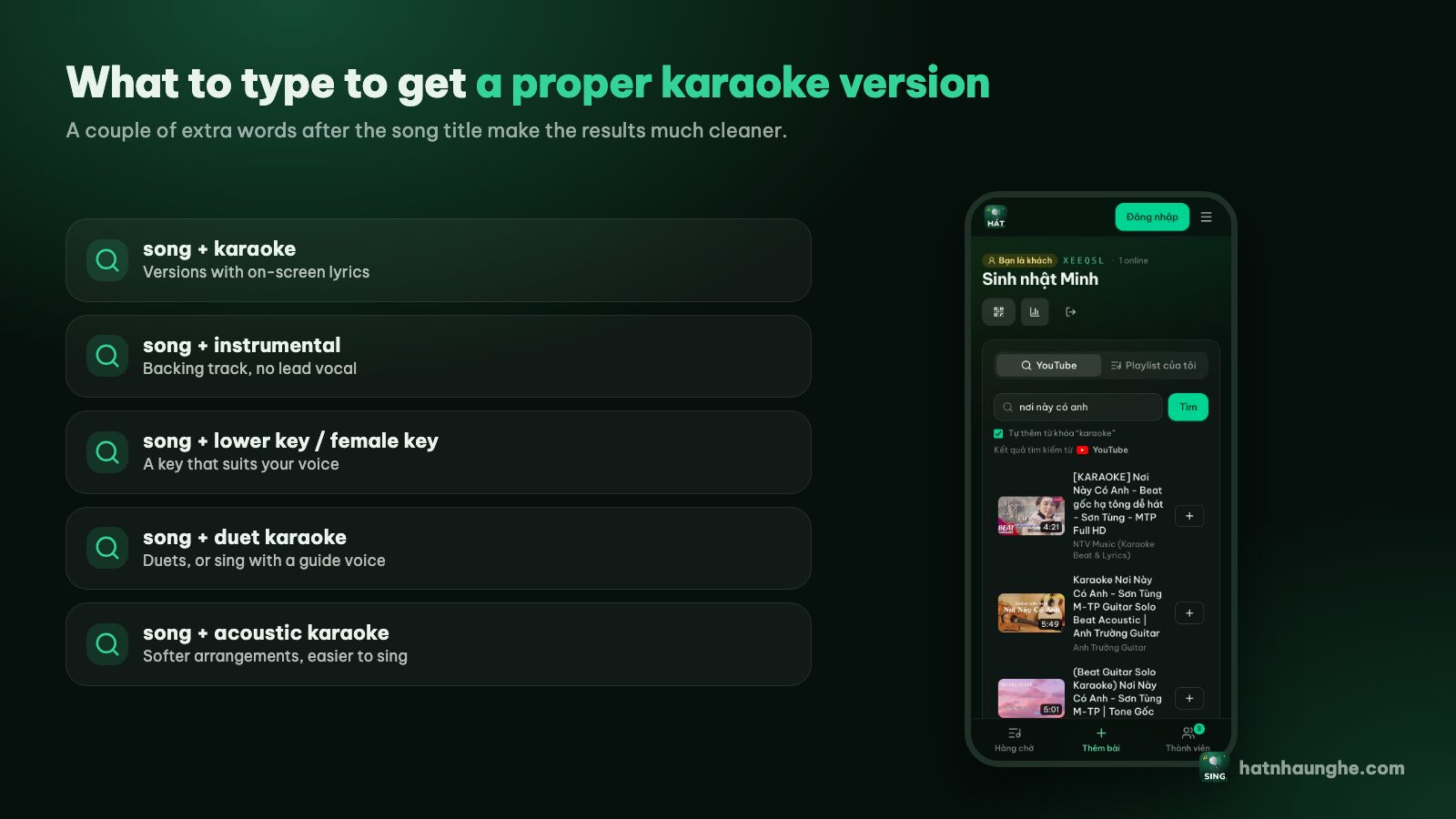
Go to My playlists, type a name (say "Warm-up" or "80s hits") and tap Create. Open the new playlist, use the "Search YouTube" box on that page and tap Add next to each song you want.
The nice part: tap a thumbnail to preview the video right there. Listen to the first few seconds, check the lyrics are on time and the key suits you, then save it. This is the most careful way to build a playlist, perfect for the night before a party.
2. Save a song straight from the queue
Singing and a great version comes up? Tap that song in the queue, choose "Save to my playlist" and pick the playlist. If you don't have one yet, you can create it right there.
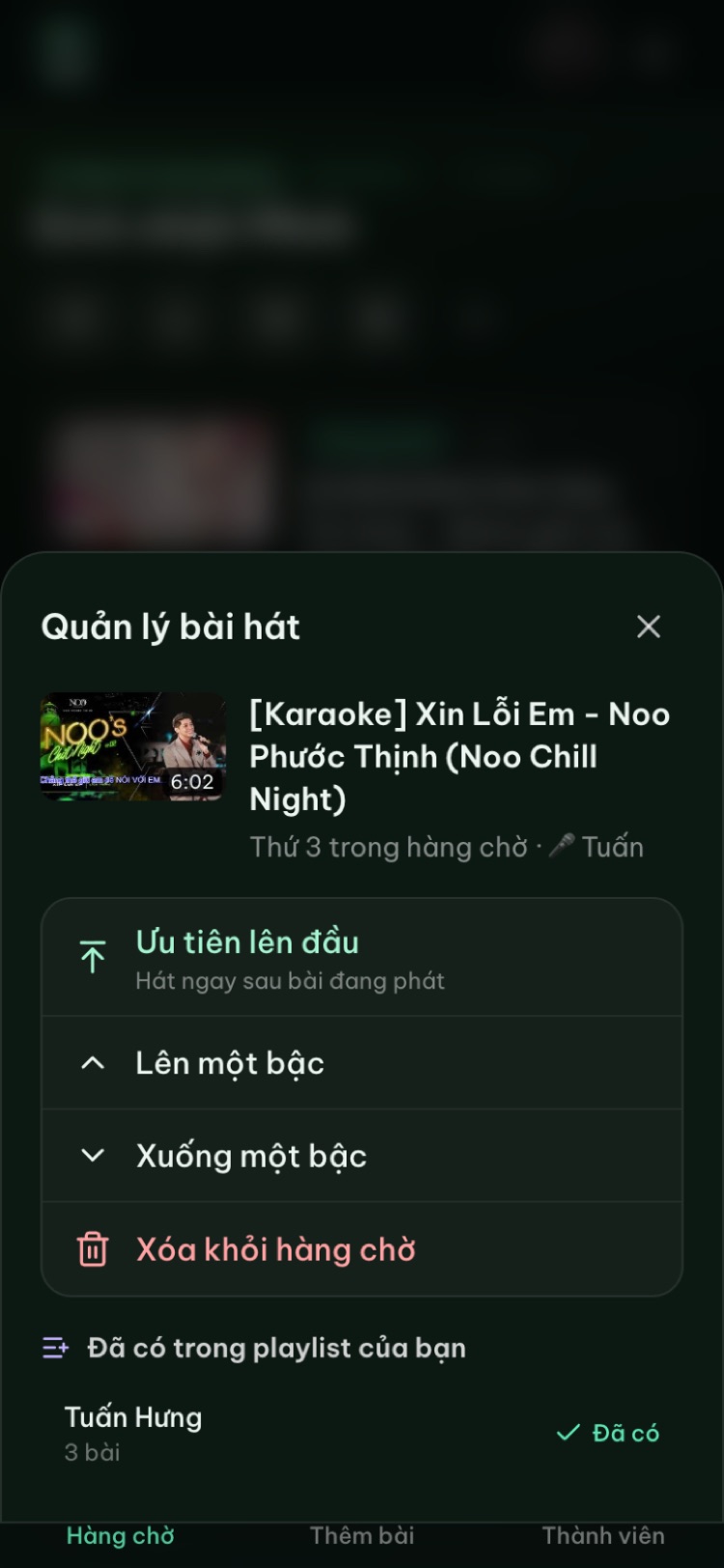
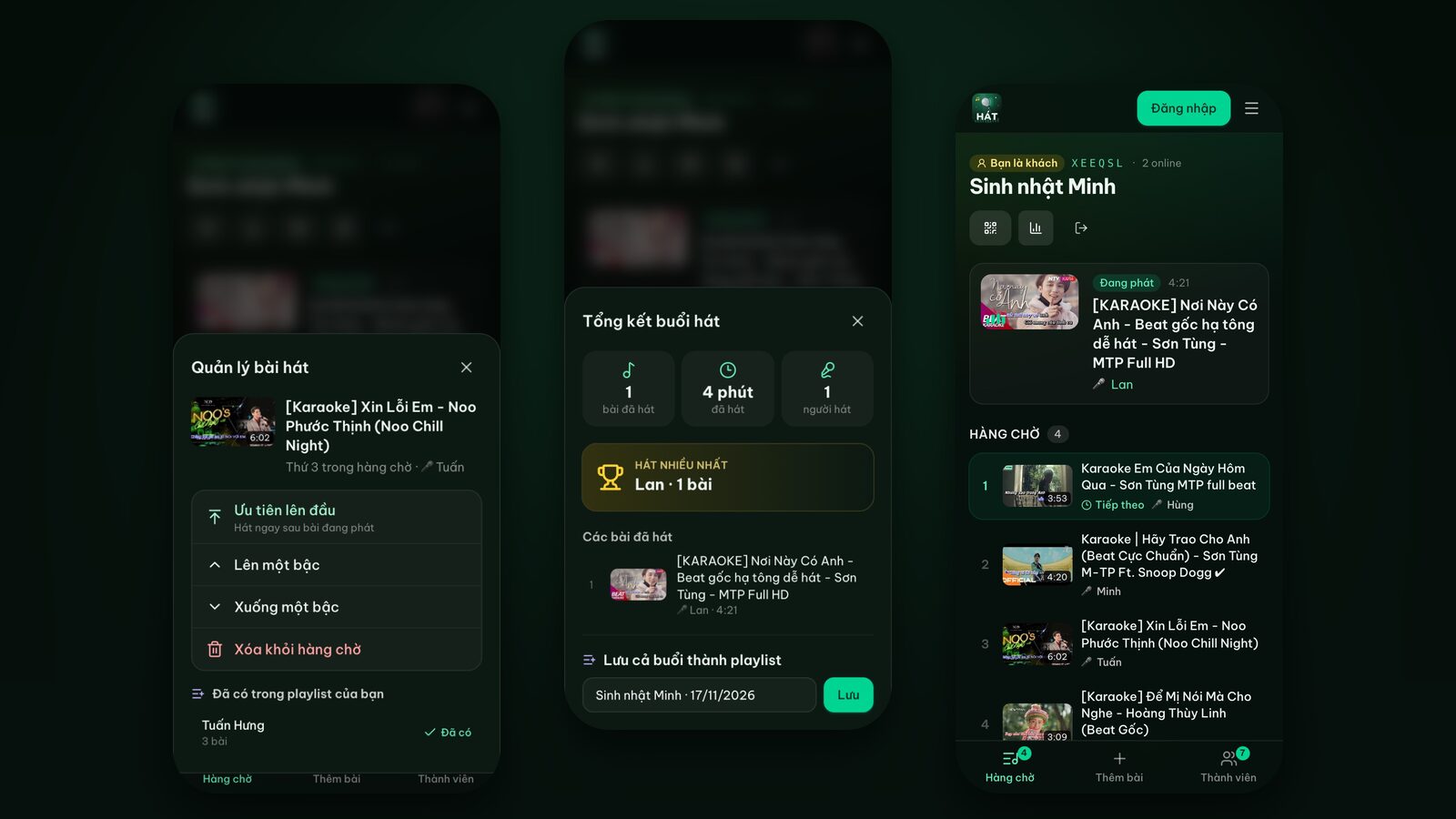
Depending on your role in the room, the same menu also shows play next, move up or down and remove. Saving to your own playlist works for anyone signed in with Google.
3. Save the whole night as a playlist
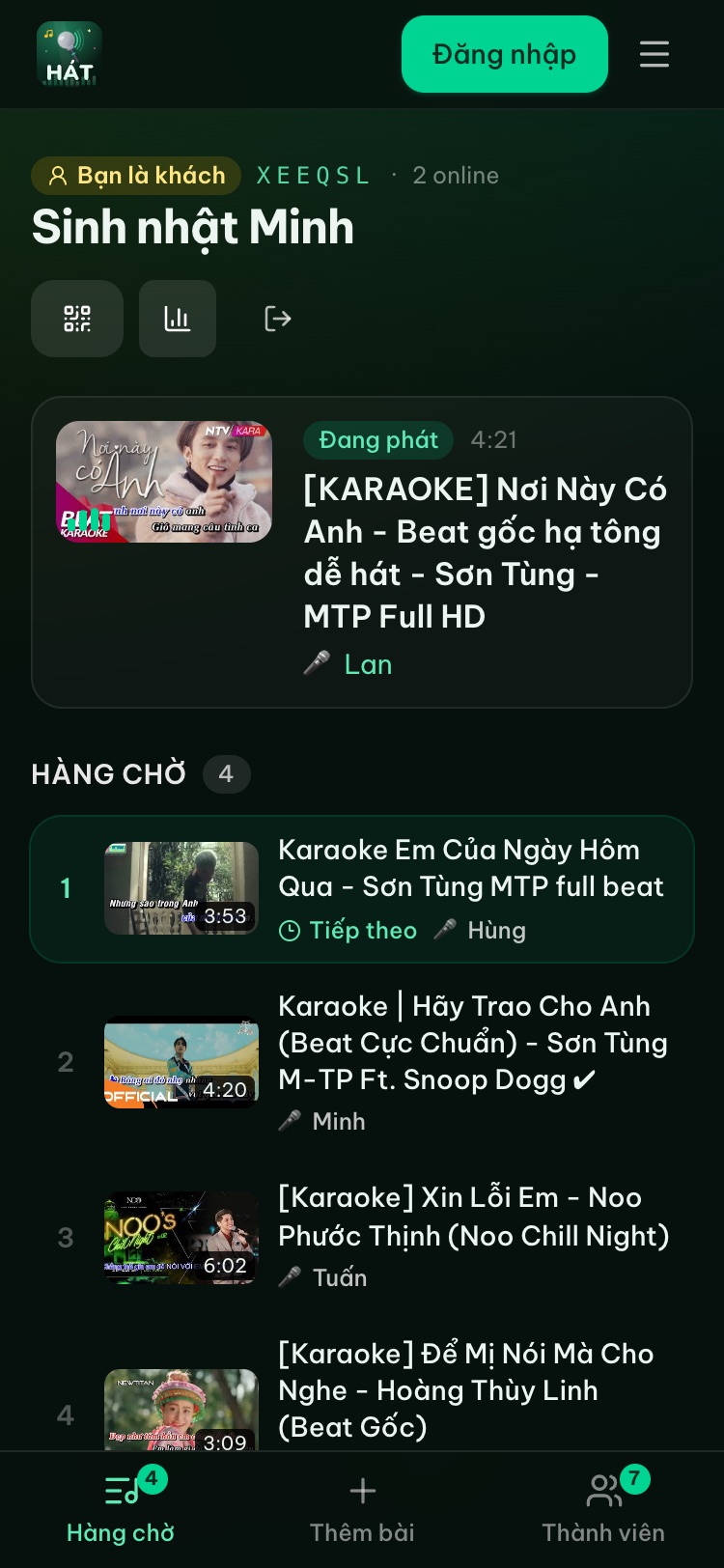
At the end of the night, the host taps the chart icon at the top of the room to open the recap. It shows how many songs were sung, the total time, who sang the most, the full song list and a "Save the whole night as a playlist" button. Name it, tap Save, and the whole evening is kept.
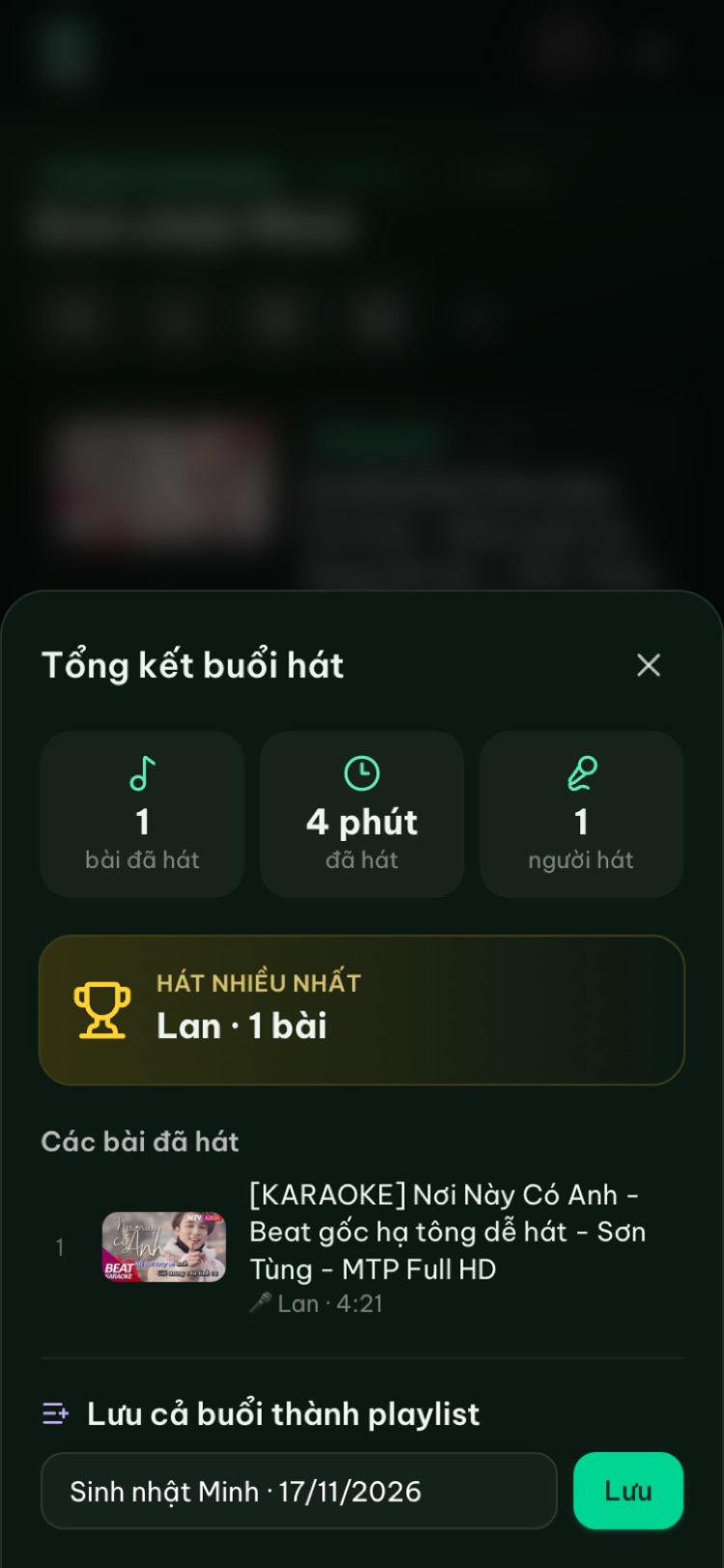
Tip: name it after the occasion, like "Sam's birthday 2026" or "Office party". Next year you'll have the group's favourites ready to go.
Add a whole playlist to a room in one tap
This is the real payoff. In a room:
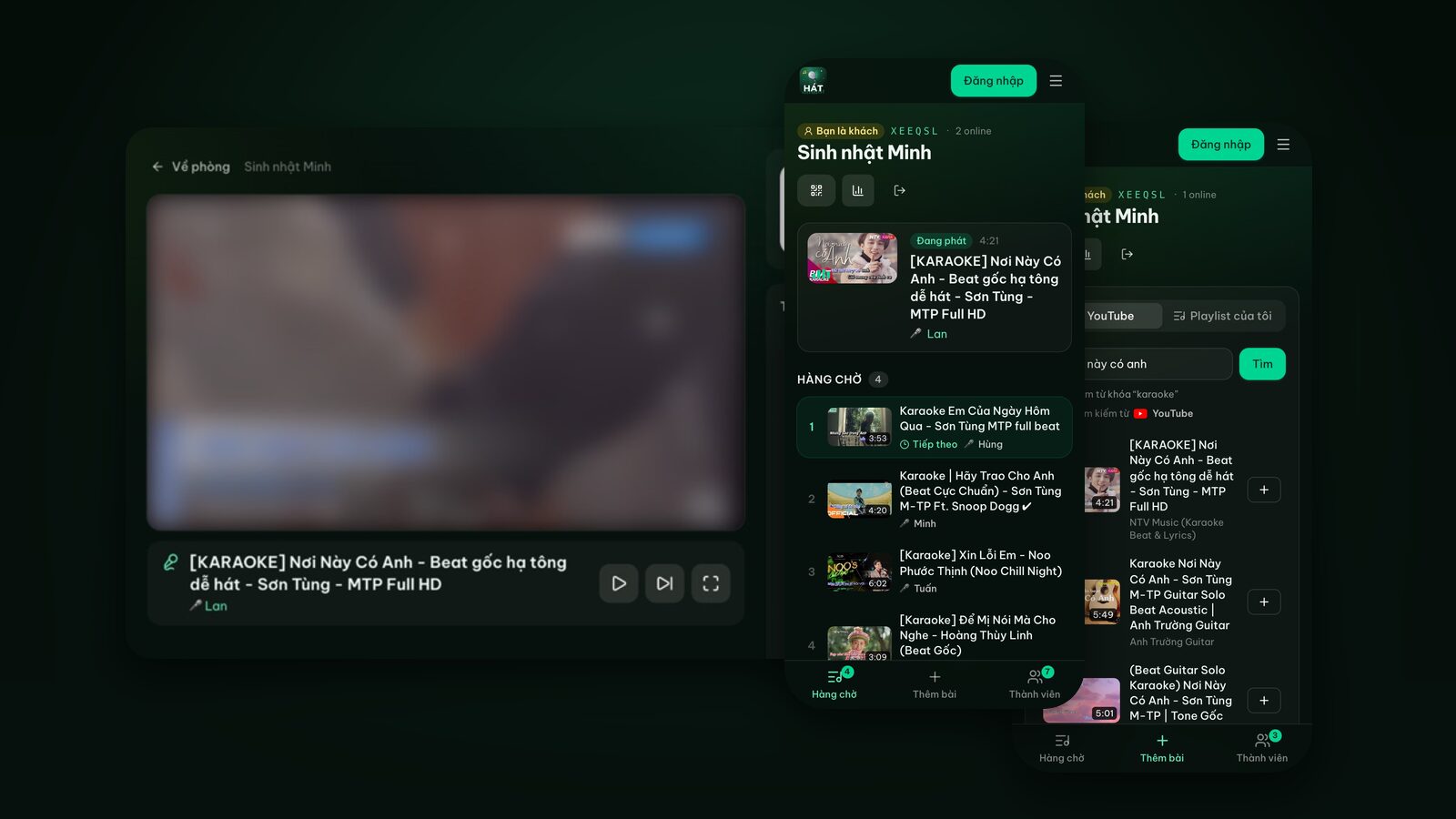
- 1Open the "Add songs" tab.
- 2In the switch at the top, change from "YouTube" to "My playlists".
- 3Open the playlist you want.
- 4Tap "Add whole playlist" to queue everything, or tap Add on individual songs.
A short message then tells you what happened, for example:
- Added 12 songs to the queue: all good.
- Sent 12 songs for the host to approve: the room requires approval, so the host okays them first.
- 3 songs already queued: those were already in the queue, so they weren't added twice.
- 2 songs over the limit: the host caps how many songs each guest can queue.
- 1 song no longer available: the YouTube video was removed or no longer allows embedding.
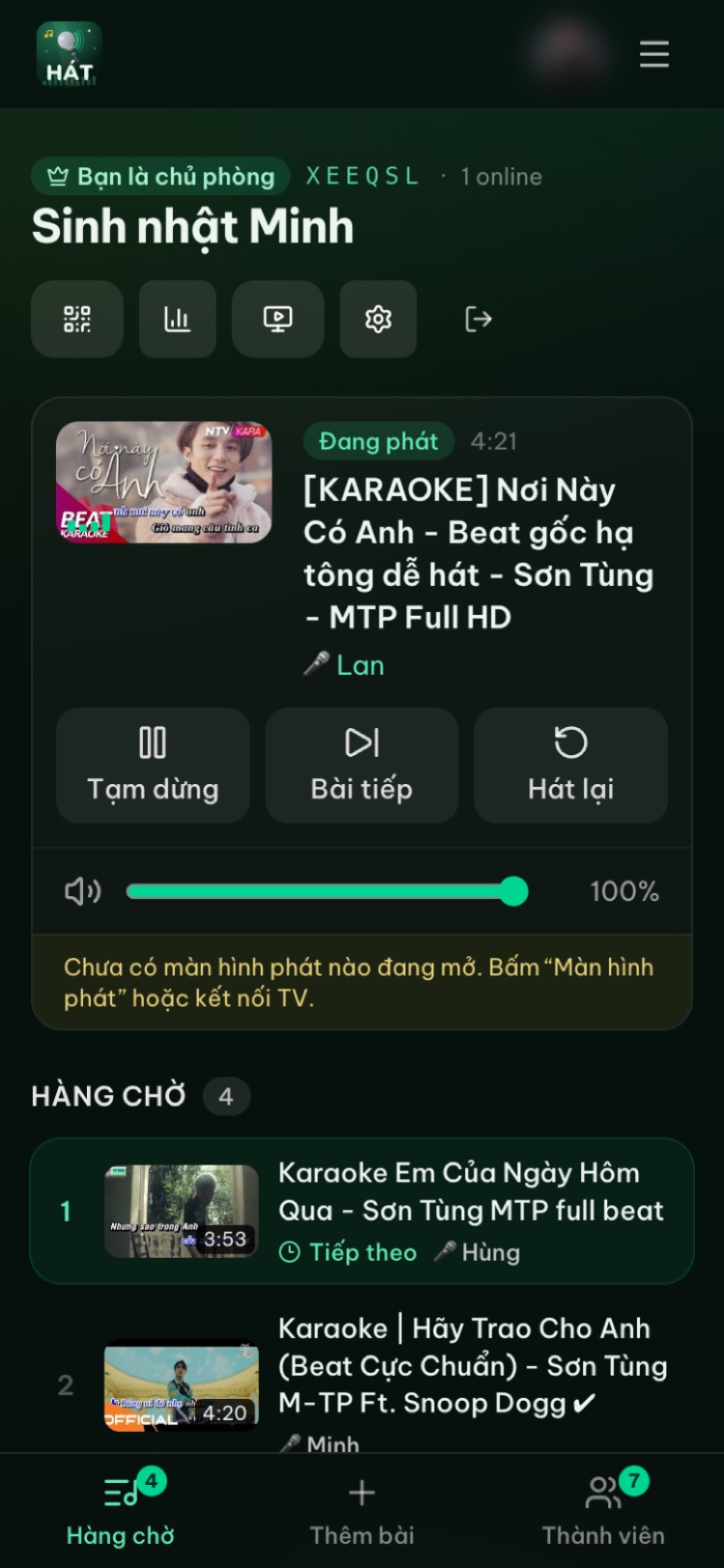
In your own room, songs go straight into the queue with no approval, and you can move any song to play next or reorder freely. If you often sing alone, the home page has an "Open my private room" button: one tap, add a playlist, sing.
Editing a playlist
Open any playlist on My playlists to:
- Rename it.
- Move songs up or down. This order is the order songs are queued with "Add whole playlist", so put the easy ones first.
- Remove songs you no longer want.
- Preview any song.
- Delete the whole playlist (this can't be undone).
Public playlists, sharing and following
Each playlist has a "Public" switch. Turn it on and:
- Anyone with the link can open it, follow it and save a copy.
- It can appear in "Hot playlists" on the home page leaderboard, which lists the most-followed playlists.
Turn it off and only you can see it. The Share button on the playlist page sends the link wherever you like.
When someone opens a public playlist link, they can:
- Follow it: it shows up under "Following" so they can find it again, and they see your updates.
- Save a copy: it becomes their own playlist to edit freely without touching yours. If the original is longer than their plan allows per playlist, the extra songs aren't copied.
Looking for good playlists to follow? Check the leaderboard on the home page, or ask the best singer in your group to make theirs public.
Free and Premium
The current limits are:
- Free: 5 playlists, up to 20 songs each.
- Premium: up to 50 playlists with up to 150 songs each, plus rooms with no guest limit, song scoring and Play next.
Premium is only sold inside the Hát nhau nghe mobile apps (Android, iPhone and iPad), listed on the download page. Once you have it, it works on the web with the same account. The website doesn't sell it.
With five playlists, organize by occasion rather than by artist: one warm-up set, one duets set, one with your personal favourites, and the rest for special nights.
Try it in your browser
Open a free karaoke room, let friends scan the QR code and start singing in seconds. Nothing to install.
Playlist ideas
These work for most groups. The songs are just suggestions. When you search, pick versions with accurate lyrics in a comfortable key, using the tips in how to find good karaoke videos on YouTube.
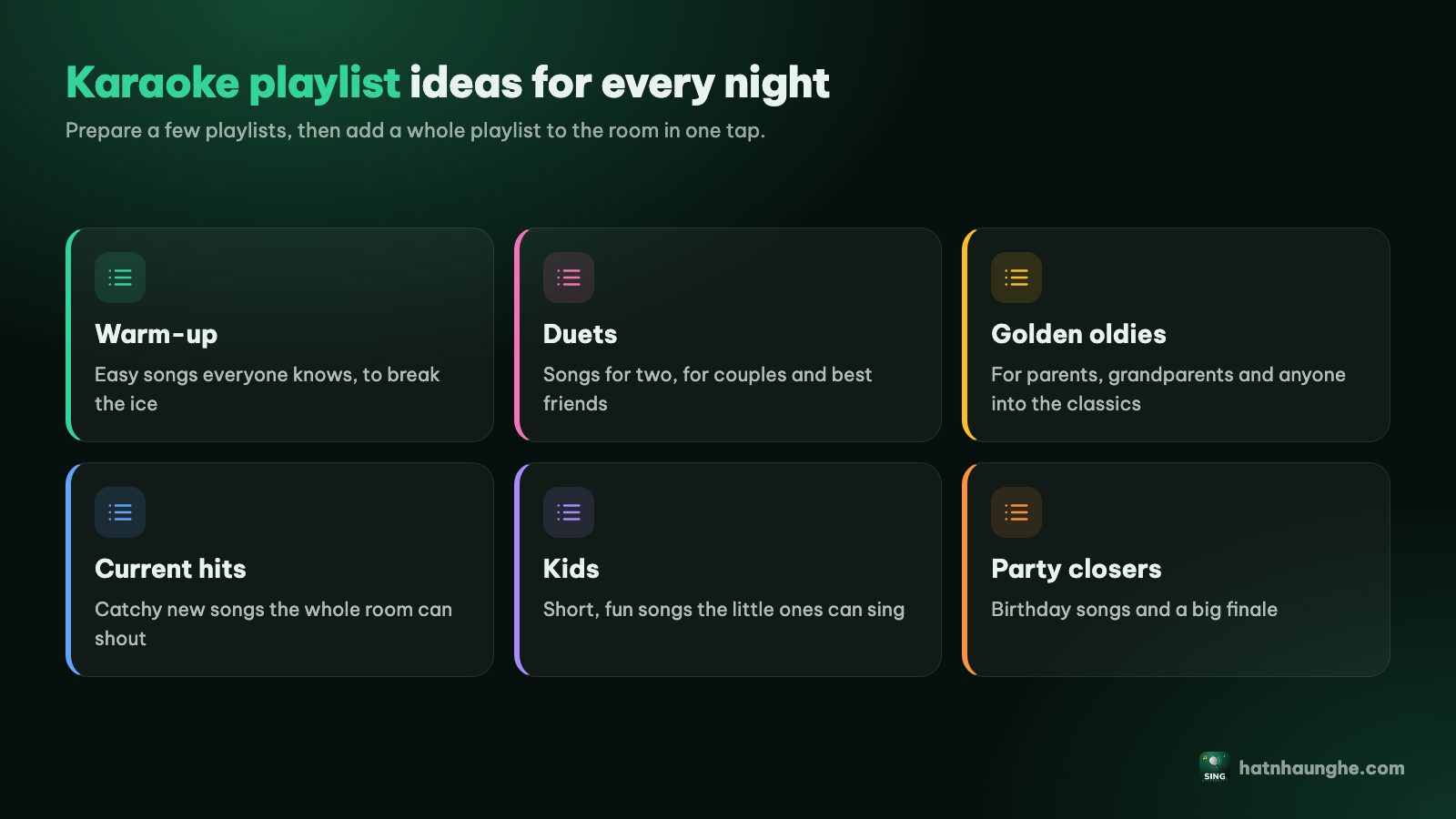
Easy warm-up songs
The goal is songs everyone knows, with a narrow range and a steady tempo, so even the shyest person picks up the mic.
- Big singalong choruses like "Sweet Caroline", "Dancing Queen" or "I Want It That Way".
- Mid-tempo pop classics without huge high notes.
- Anything the whole room can shout along to.
Rule of thumb: the first song of the night shouldn't have a chorus that soars out of reach.
Duets
Duets are the most fun, because they get two people up at once. Ideas:
- Classic pairings like "Islands in the Stream", "Don't Go Breaking My Heart" or "Shallow".
- Gentle pop duets for less confident singers.
- Versions with one part already sung, for when you want a duet but have no partner.
Add "duet" to your search. Good duet versions color code each part so you're not both singing the same line.
Golden oldies
If parents or grandparents are joining, a playlist of older favourites is a must. For Vietnamese families that means bolero and nhạc vàng, which even have their own quick picks in the Vietnamese search. Split it in two: solo songs (with lower and higher key versions) and duets.
Current pop
For younger groups, and it changes every season. Make it public and keep updating it, and friends who follow it always see the latest version. Keep rap-heavy songs in their own playlist, since not everyone can keep up.
Decades and classics
Songs every generation knows: "Bohemian Rhapsody", "My Heart Will Go On", "Yesterday", ABBA or Westlife. Great for office parties with a mix of ages. Choose versions with clear lyrics and a comfortable key.
Kids
For nights with children: short, fun, easy-to-remember songs. Disney favourites work well. Put them at the start so the kids sing first and the grown-ups take over later.
Birthday
Open with "Happy Birthday", then the guest of honour's favourites. A nice touch: ask them for their top three songs ahead of time and put those first. More ideas in hosting a karaoke birthday party at home.
Habits that keep playlists useful
- Check before a big night. YouTube videos can disappear at any time. Open the playlist and preview the songs that matter.
- Keep it short. Fifteen to twenty well-chosen songs get used far more than a messy list of a hundred.
- Use clear names. "Easy duets", "Lower key ballads" or "Office party 2026" beat "Playlist 1".
- Save the moment you find a good version. Don't tell yourself you'll find it again later.
Setting up a karaoke night at home without a karaoke machine? Karaoke at home with no machine shows how to do it with just a TV and phones.
FAQ
Can guests use their playlists in someone else's room?
Yes, if they sign in with Google. In the "Add songs" tab, switch to "My playlists" to add single songs or the whole playlist. If the room requires approval, the songs wait for the host.
Do playlists disappear when the room closes?
No. Rooms are deleted after 24 hours without activity, but playlists stay in your account.
Does saving a playlist download the videos?
No. A playlist only stores song details so they can play again through YouTube's embedded player. Nothing is downloaded or stored.
How many songs can I save for free?
Five playlists with 20 songs each. Premium raises that to 50 playlists with 150 songs each, and it's bought in the mobile apps.
How does a playlist get onto the leaderboard?
Make it public and share the link. "Hot playlists" on the home page ranks playlists by followers.