Online karaoke vs a karaoke machine: which should you pick?
Online karaoke, a karaoke machine, a phone app or a night at the bar? Each has real strengths. Here's a straight comparison so you can pick what fits your group.
Every time friends plan a karaoke night, the same question comes up: go out, or sing at home? And if you're at home, what do you use: buy a karaoke machine, install an app, or open online karaoke on the TV?
I make Hát nhau nghe, a free karaoke site that runs in the browser, so I'm obviously biased. This post tries to be straight about it anyway: which option fits which situation, and when a karaoke machine or a karaoke bar is still the better pick.
The four common ways to do karaoke
First, the four options we're comparing:
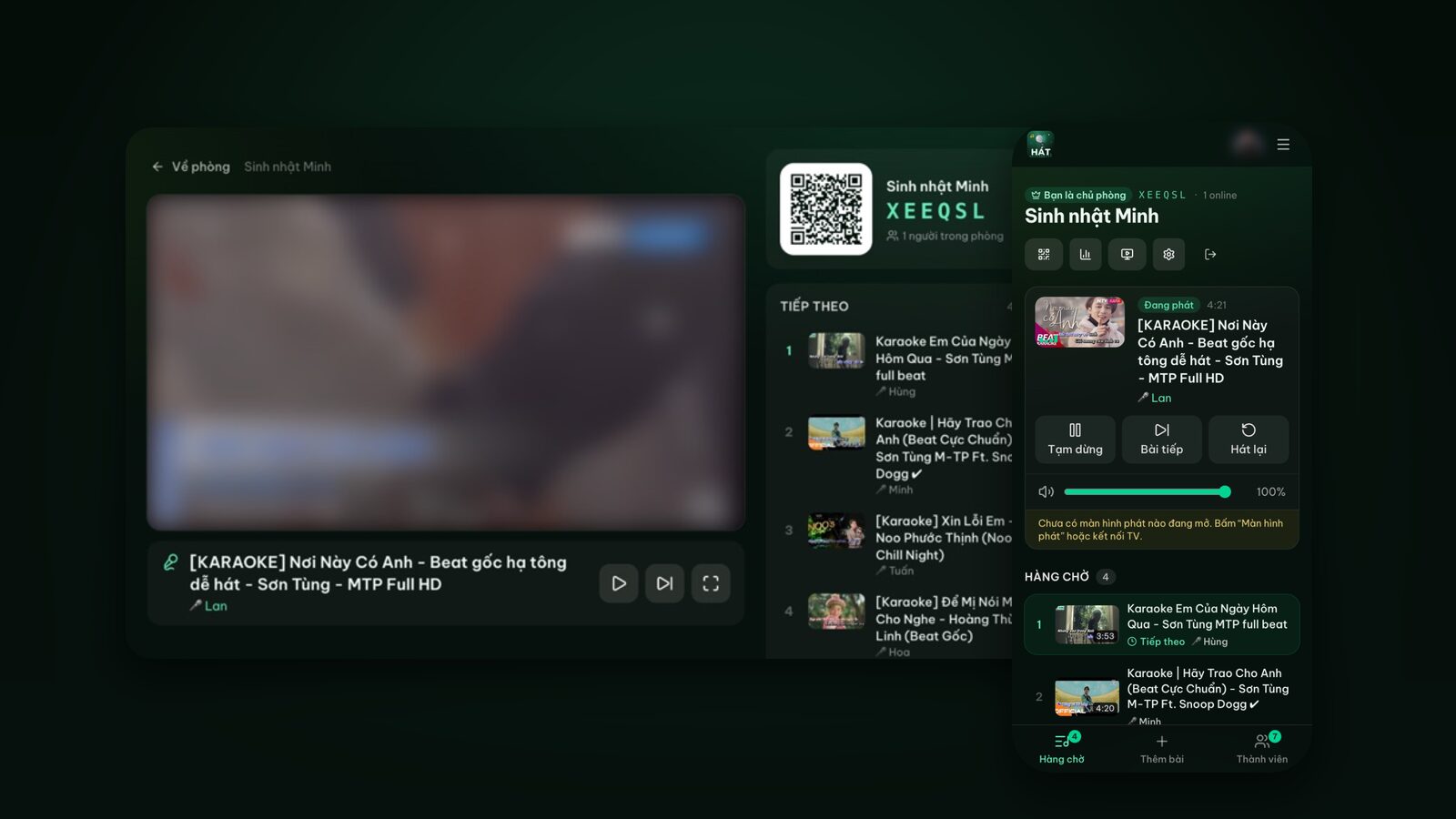
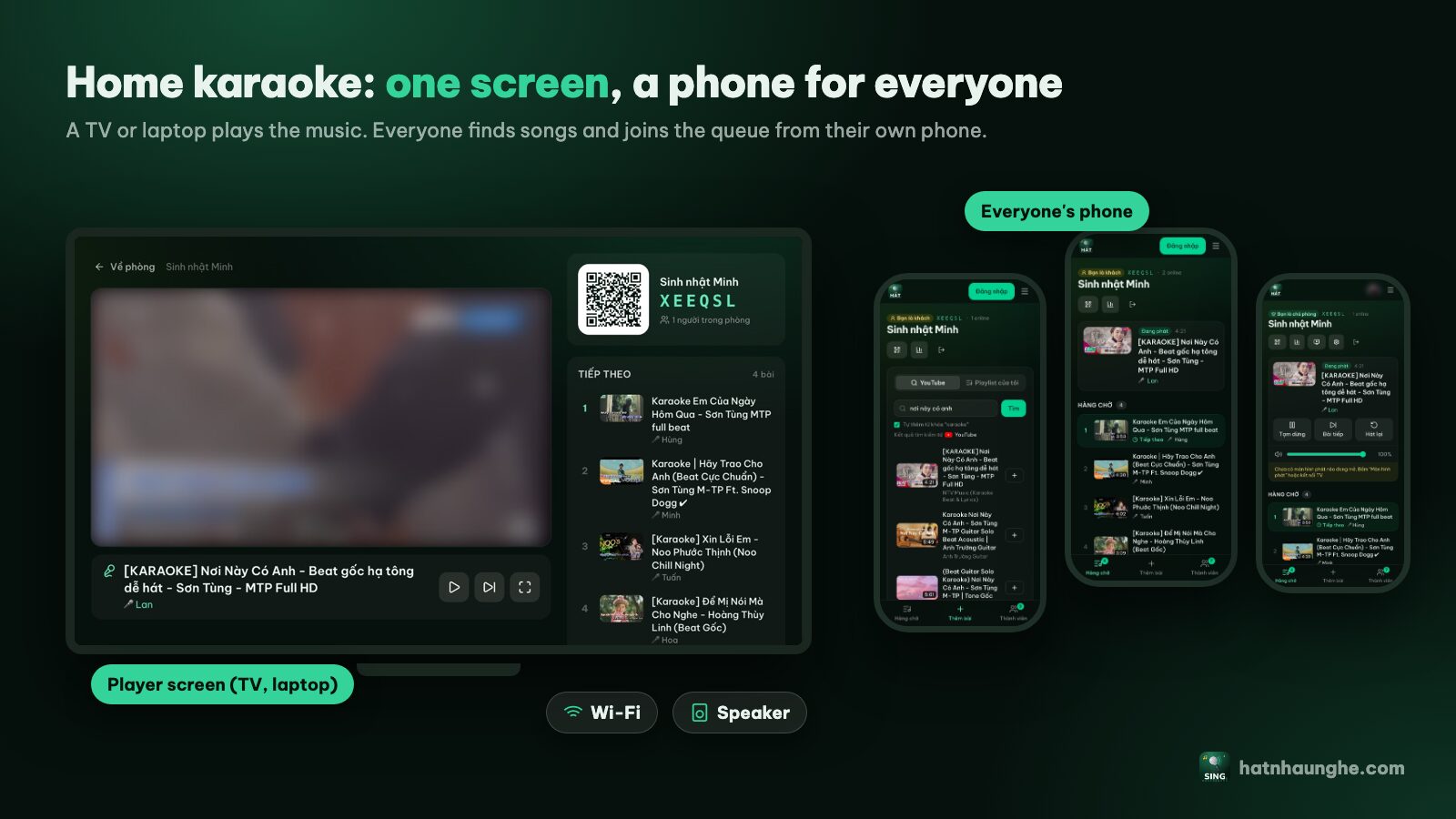
- 1Online karaoke in the browser (like Hát nhau nghe): one screen (TV, laptop, tablet or phone) plays YouTube karaoke videos, and everyone in the room uses their own phone to find songs and add them to a shared queue after scanning a QR code.
- 2A karaoke machine or song box: a dedicated device plugged into the TV and speakers, with its own song library, usually with mics and a remote or song book.
- 3A karaoke app on one phone: an app on a single phone, played on that phone or mirrored to the TV, with one person picking songs.
- 4A karaoke bar: a room rented by the hour with the sound system, mics and soundproofing already there.
Song library: YouTube or a licensed catalog?
Online karaoke in the browser finds songs on YouTube and plays them through YouTube's official embedded player. The big plus is coverage: new releases, old classics, songs in other languages, almost everything has a karaoke version. The minus is uneven quality. Some versions have perfectly timed lyrics in a comfortable key, others are off-beat or sound poor, and occasionally a video gets taken down. Picking good versions takes a little practice; I wrote tips for finding karaoke songs on YouTube.
A karaoke machine uses the manufacturer's catalog. Arrangements and lyric timing tend to be consistent. But the library depends on whether, and how, the maker updates it.
Karaoke apps vary: some have their own catalog, some search YouTube.
Karaoke bars usually keep their catalogs up to date on a system that's already tuned.
Picking songs: one remote or everyone's phone?
This is where online karaoke differs the most. With a machine or a single-phone app, song picking goes through one remote or one phone. Everyone waits for their turn with it, or asks the party DJ to type it in.
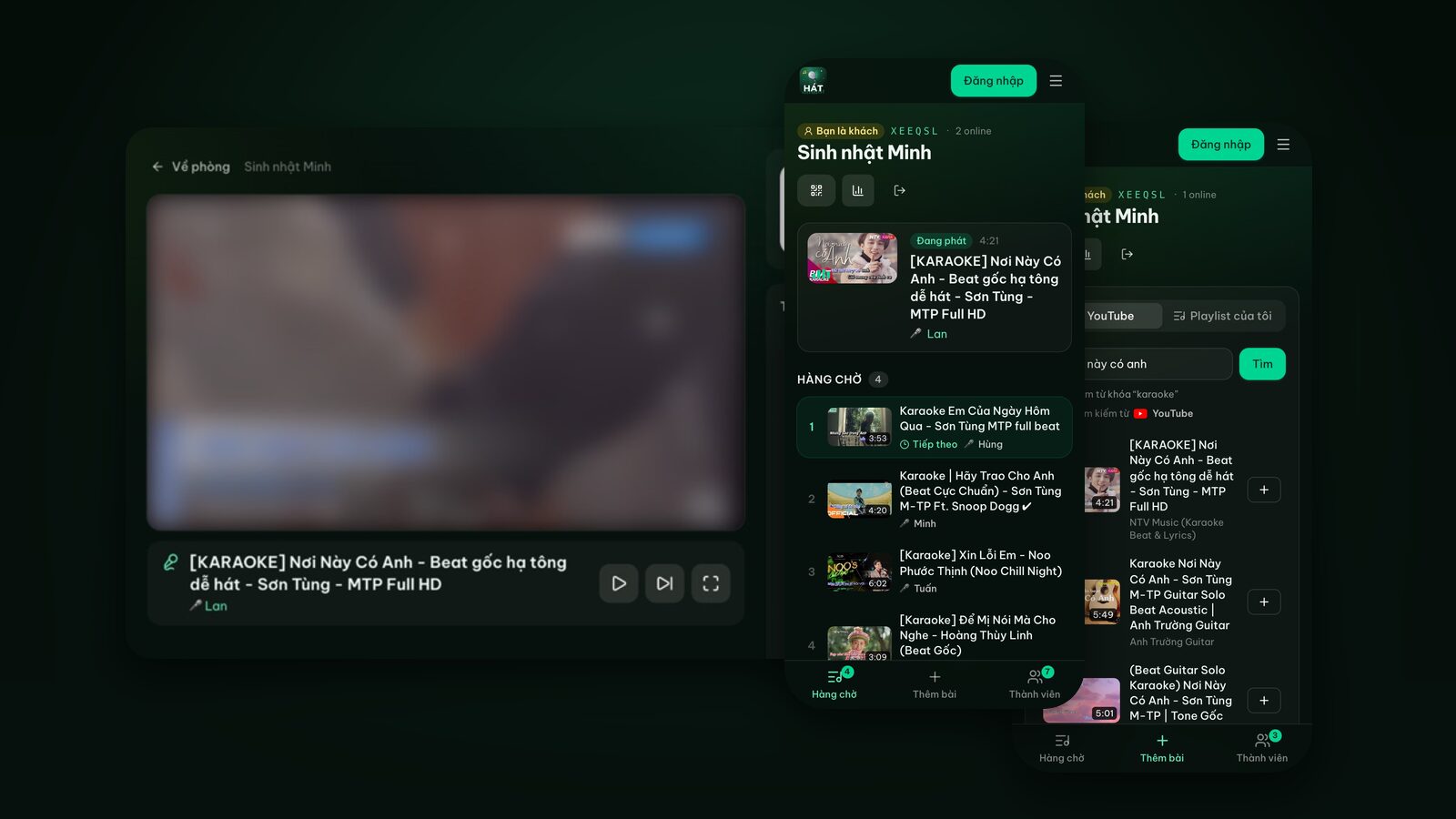
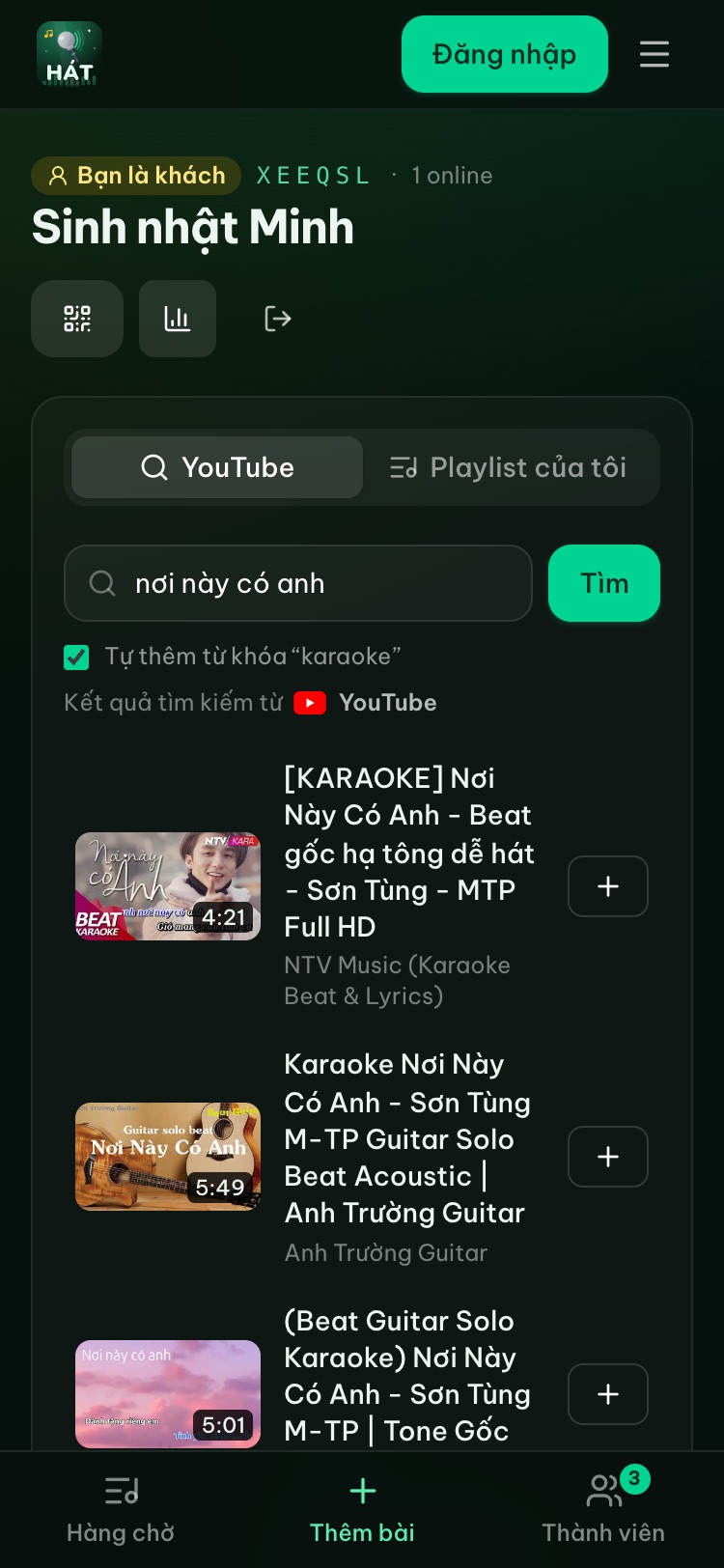
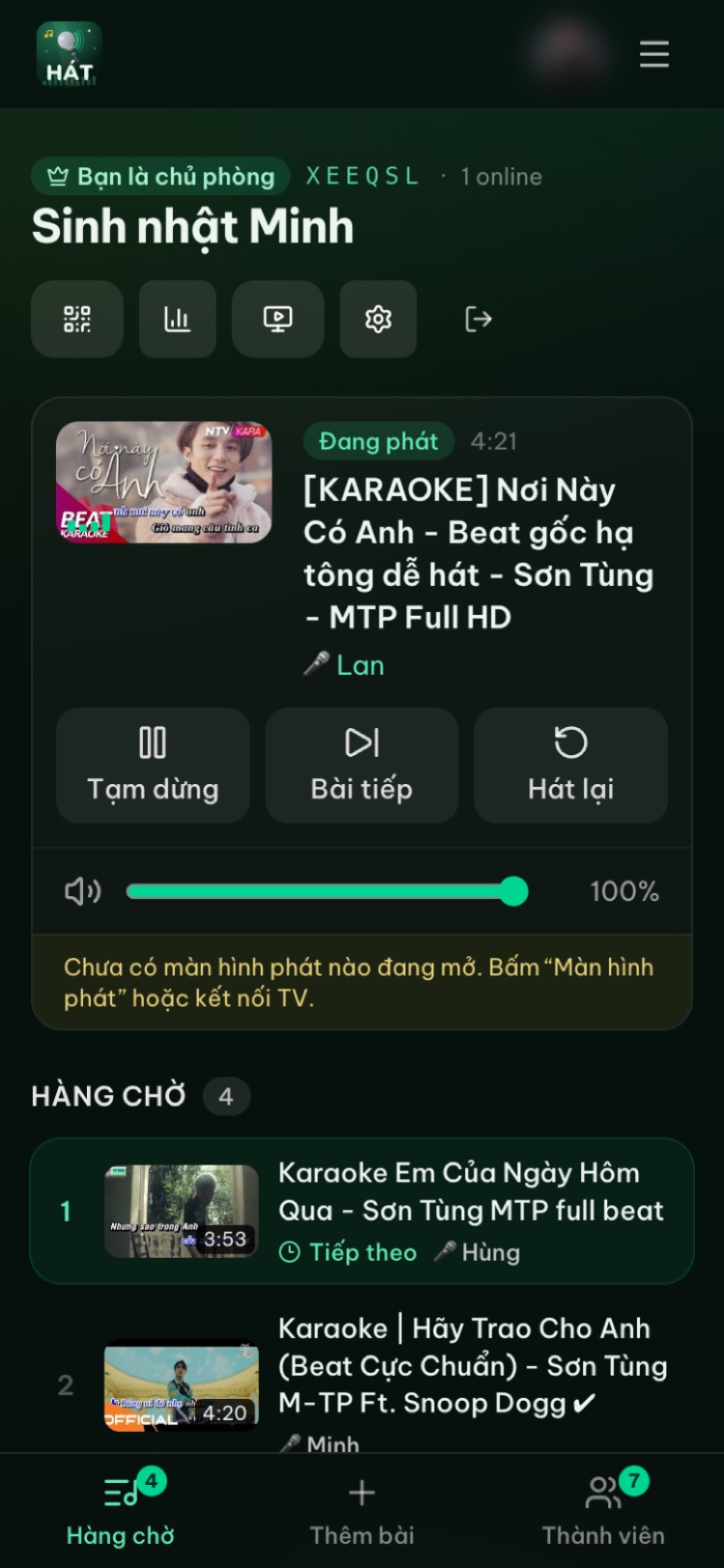
With Hát nhau nghe, everyone queues from their own phone:
- Scan the QR code on the TV, enter a name, join. Guests need no account and nothing to install.
- Search for a song, tap +, and it joins the shared queue.
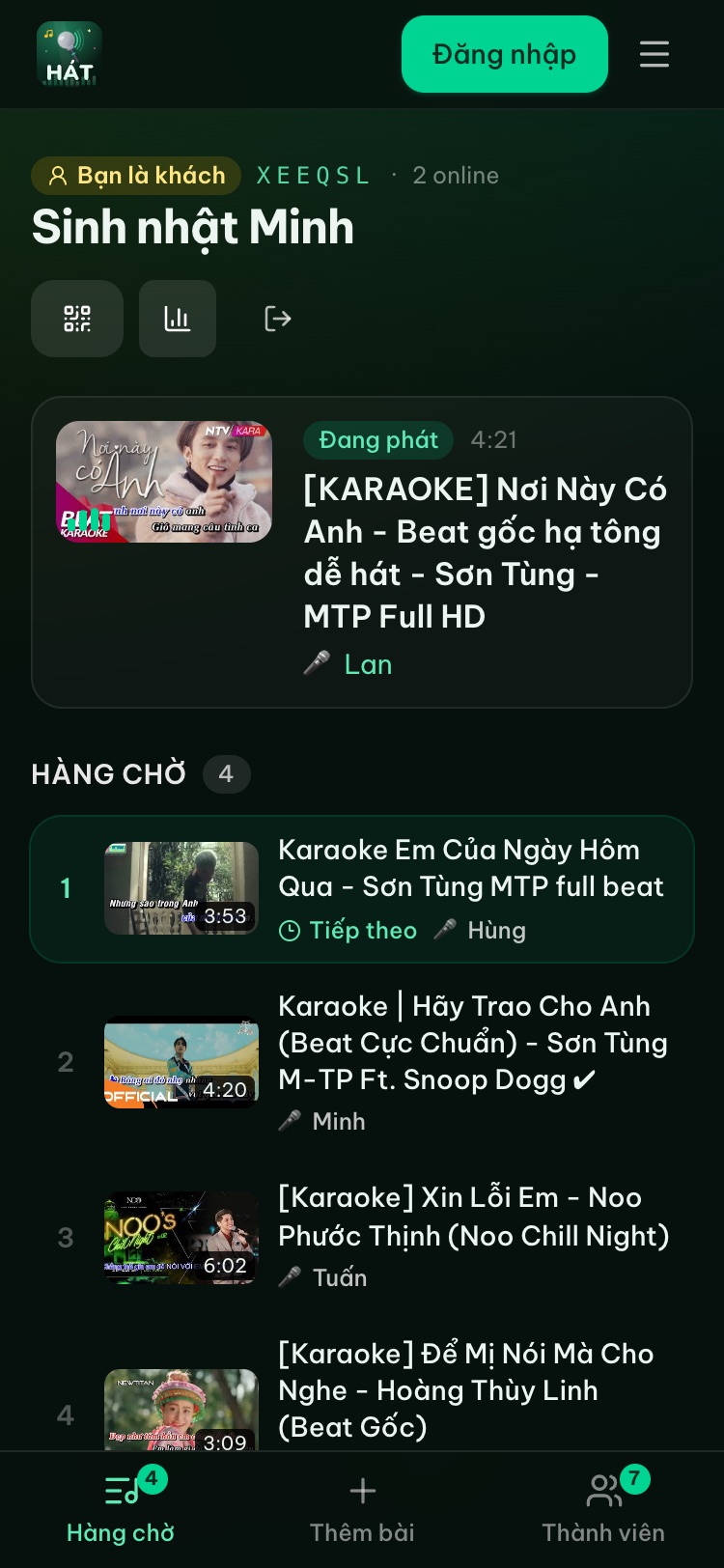
- When it's your turn, the player screen shows "Up next" with your name.
- The Queue tab shows what's coming, marks your own songs, and lets you take them back.
The host gets tools to keep order: approve songs before they're queued, rotate singers so everyone gets one song in turn, cap songs per guest, lock the room, set a password. More in running a karaoke room so everyone gets to sing.
Scoring: the question everyone asks
To be clear: online karaoke in the browser doesn't score your voice. Hát nhau nghe doesn't capture or process microphone audio. If the host has Premium and turns scoring on, the player shows a fun, karaoke-machine-style score after each song, and people rate the singer with stars on their phones. Scores and stars show up in the night's recap. It's something for the room to cheer about, not a measure of your singing.
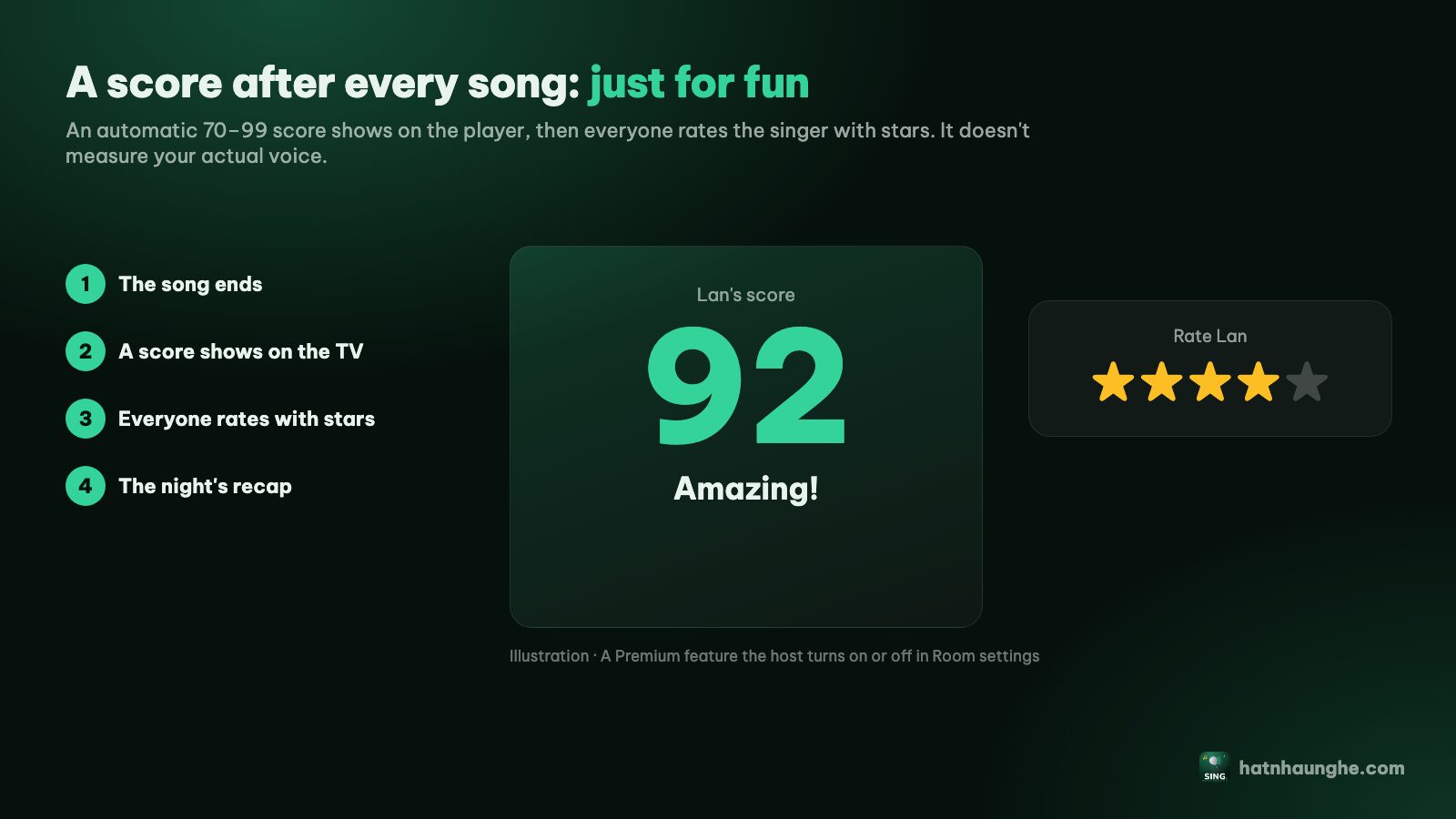
Some karaoke machines and apps score based on audio from the mic, depending on the device. If your group loves competing on "real" scores, that's a perfectly good reason to choose a machine or an app with that feature. Karaoke scoring and voting explains how it works on Hát nhau nghe.
Internet: online karaoke's biggest weakness
Online karaoke needs internet, no way around it. The player screen streams video from YouTube, and phones need a connection to search. Normal home Wi-Fi is fine, but if your connection drops a lot, or you're singing somewhere with weak signal, videos will stutter or stop.
A karaoke machine with songs stored on it can play without internet (depending on the model; some also need a connection to download songs). That's a very real advantage.
Ads
Since videos play through YouTube's official player, any ads are YouTube's, under YouTube's terms. Hát nhau nghe doesn't download, store or modify videos, so it doesn't block ads either. For many people a short ad between songs is no big deal. If it bugs you, it's worth knowing up front.
Machines and bars don't have ads like that. Apps vary.
Mics and sound
Hát nhau nghe handles the video and the queue, and stays out of the mic. TV speakers, a Bluetooth speaker or a karaoke speaker with mics all work; the mic plugs into the speaker as usual. The upside is you can use whatever you already own. The downside is the sound is your job: balancing the mic and avoiding feedback.
A karaoke machine often comes as one system with speakers and mics tuned for karaoke. At a bar, sound and soundproofing are exactly what you pay for. For what to prepare at home, see home karaoke without a karaoke machine.
Cost
I won't quote prices for machines or bars, since they vary a lot by model and where you live. Here's how the costs work:
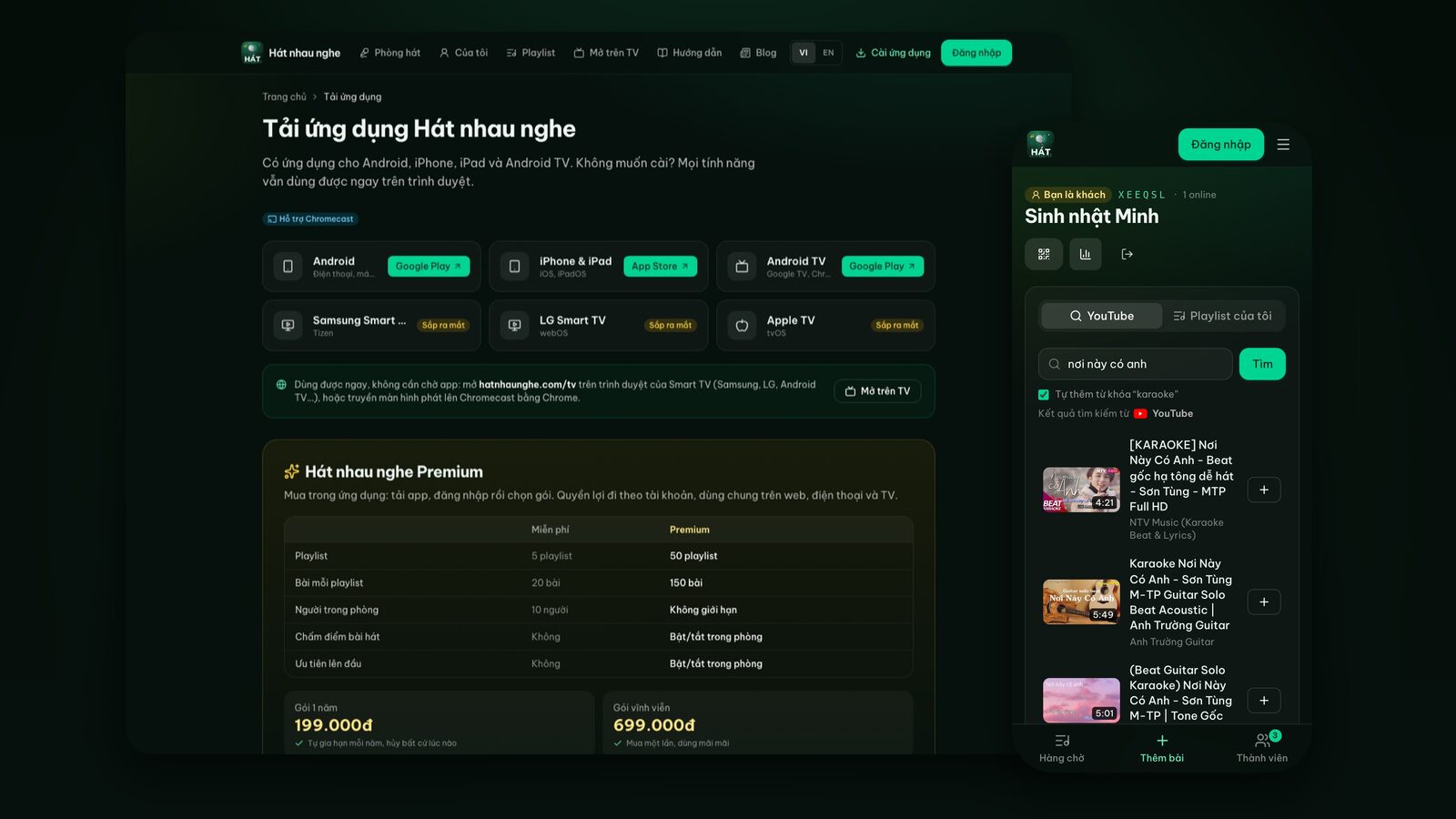
- Online karaoke on Hát nhau nghe: free. The host just needs a Google account. An optional Premium plan, bought in the mobile app (199,000 VND for a year or 699,000 VND lifetime), adds scoring, moving a song to play next, rooms with no member limit (free rooms take up to 10 people) and more playlists. You don't need it to sing.
- A karaoke machine: a one-time purchase, plus mics and speakers if you don't have them.
- A karaoke app: varies; many have monthly or yearly subscriptions.
- A karaoke bar: pay by the hour every time, plus food and drinks.
Try it in your browser
Open a free karaoke room, let friends scan the QR code and start singing in seconds. Nothing to install.
Quick comparison
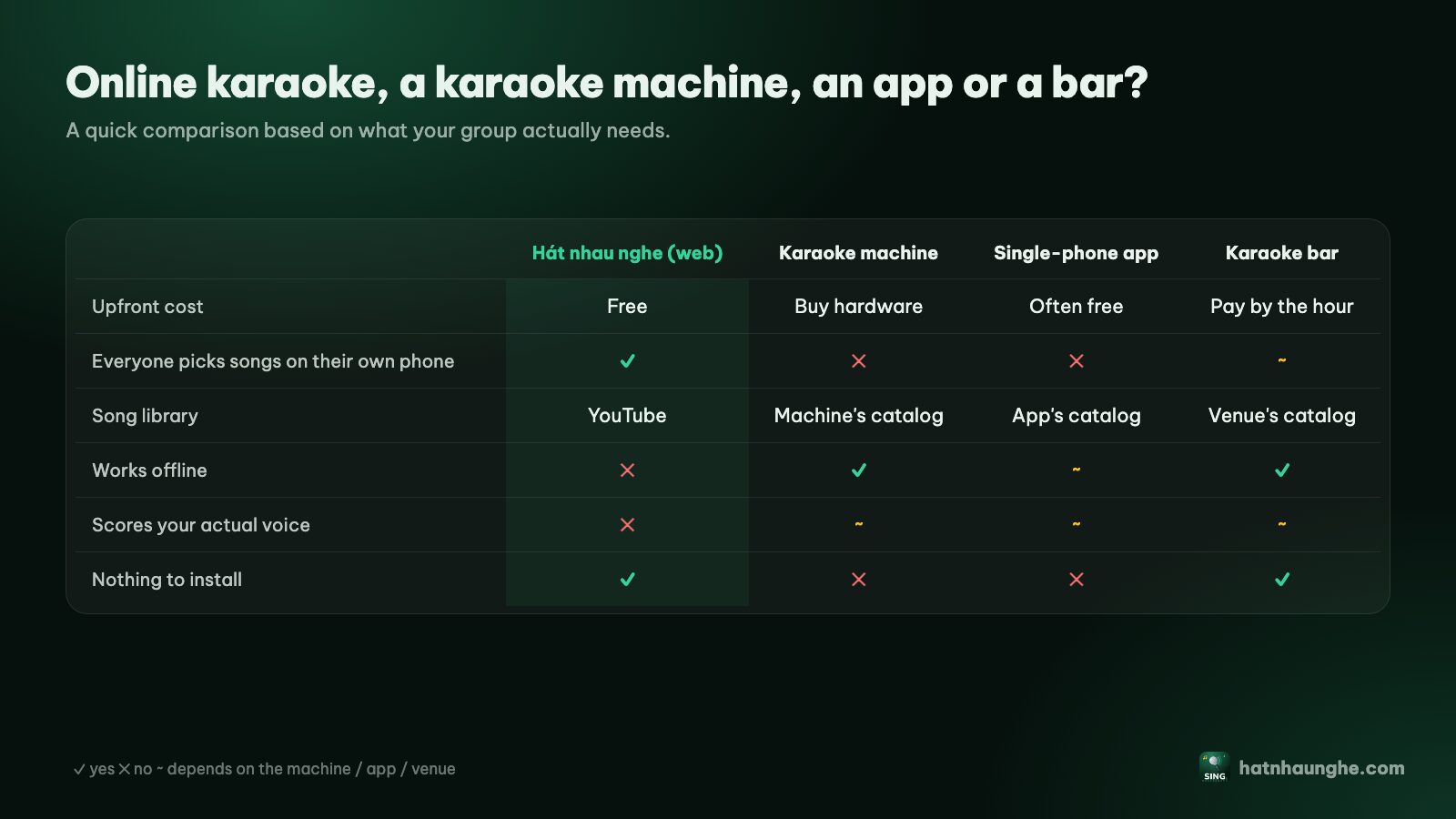
Online karaoke in the browser (Hát nhau nghe)
- Pros: free, nothing to install, huge YouTube library, everyone queues from their own phone, singer names on the TV, works with the TV, laptop or phone you already have.
- Cons: needs internet, YouTube ads may appear, karaoke versions vary in quality, no voice-based scoring, you handle speakers and mics yourself.
A karaoke machine
- Pros: sound and mics usually matched, consistent arrangements, some models work offline, some score your voice.
- Cons: upfront cost, takes up space, catalog depends on the manufacturer, song picking usually goes through one remote.
A karaoke app on one phone
- Pros: portable, some apps record or score your singing.
- Cons: one phone picks for the whole group, many apps charge a subscription, small screen unless you mirror it.
A karaoke bar
- Pros: the best sound, soundproofed rooms, no neighbor worries, zero setup.
- Cons: costs money every time, you have to travel, limited time.
When a karaoke machine or bar is the better choice
Honestly:
- Weak internet, or you often sing where there's none: a machine with stored songs will save you a lot of frustration.
- Your group loves competing on voice scores: go with a machine or app that scores through the mic.
- You want to sing loud and late without bothering anyone: a soundproofed karaoke bar room is the right call.
- You don't want to deal with sound at all: a machine bundled with speakers, or the bar.
When online karaoke makes sense
- You already have a TV or laptop and decent Wi-Fi, and don't want to buy hardware yet.
- Big groups where everyone wants to pick their own songs without passing a remote around.
- You sing new or rare songs and need a wide library.
- You're at a friend's place, the office or a vacation rental: open the TV browser and you have karaoke, nothing to carry. See karaoke for year-end parties and team building.
Plenty of households I know mix the two: a karaoke speaker with mics for the sound, and the web for songs so everyone queues their own. You get the best of both.
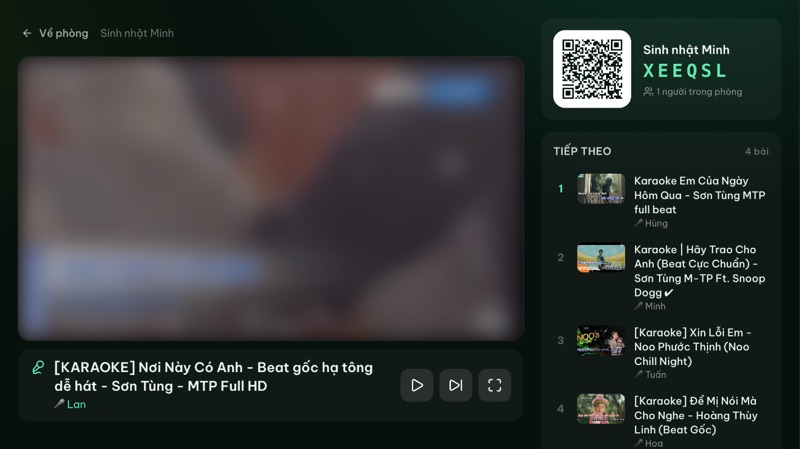
Try online karaoke in five minutes
If you want to try it before buying anything:
- 1Open hatnhaunghe.com on your phone, choose I'm hosting, sign in with Google and name the room.
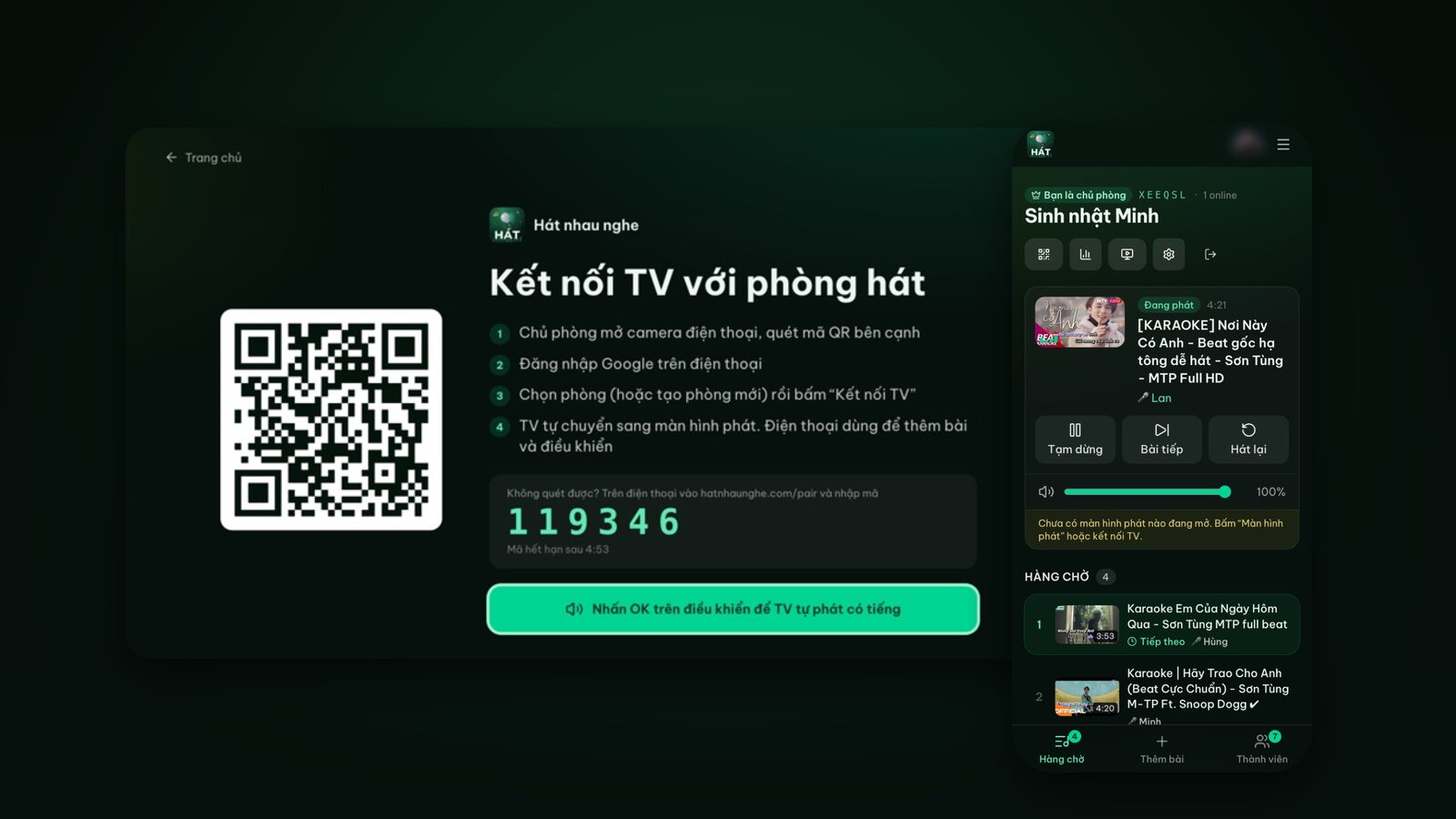
- 2On the TV, open the browser and go to hatnhaunghe.com/tv. A QR code and a 6-digit code appear.
- 3Scan the TV's QR code with your phone, pick the room and tap Connect TV. If you can't scan, go to hatnhaunghe.com/pair and enter the 6-digit code.
- 4Everyone scans the QR code on the player screen, enters a name, then searches and taps +.
No smart TV? Plug a laptop into the TV over HDMI, or just play on the laptop. The full guide has screenshots, and karaoke on your TV with your phone walks through it. Apps for phones and Android TV are optional, see the apps page; on Samsung, LG or Apple TV, use the TV's browser.
FAQ
Is online karaoke really free?
Yes. Creating rooms, inviting friends and singing on Hát nhau nghe is free. Premium is optional and only sold in the mobile app.
Does online karaoke work offline?
No. Songs play from YouTube, so you need internet the whole time.
Does it score like a karaoke machine?
Not on your voice. With Premium, the host can turn on a fun score after each song and let people vote with stars, but the score isn't based on your singing.
Do I need to buy a mic?
No. You can sing without one using the TV speakers. For a mic, use a karaoke speaker with a mic input or the wireless mics that come with it.
Are the songs legal?
Songs play through YouTube's official embedded player, and Hát nhau nghe doesn't download or store videos. Rights and ads are handled by YouTube under its terms.
Is there a karaoke app for TVs?
There's an Android TV app, listed on the apps page. Samsung, LG and Apple TV apps aren't out yet; open the TV's browser and go to hatnhaunghe.com/tv to sing right away.
Whichever you choose, the most important thing is having people to sing with. Have a great night.
Try it in your browser
Open a free karaoke room, let friends scan the QR code and start singing in seconds. Nothing to install.